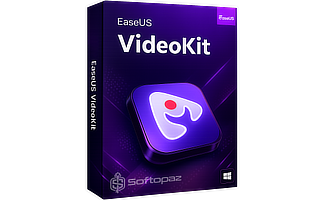
EaseUS Video Editor Pro License Key


The software
Overview
EaseUS Video Editor Pro (Windows) Overview
Official Website: www.easeus.com
Supported Systems: Windows 11, 10, 8/8.1, 7
EaseUS Video Editor is a beginner-friendly editing program that brings together trimming, arranging, audio control, titles, transitions, stickers, and visual effects in a layout that’s easy to learn.
It focuses on quick assembly of clips while still giving room for creative adjustments, making it suitable for short projects, social videos, and simple YouTube edits.

Multi-Track Timeline
The timeline at the bottom works as a multi-track workspace where you can drop video clips, music, images, text, and other elements into separate layers.
Each item can be trimmed, stretched, split, or repositioned so the entire sequence lines up exactly how you want.
Since it supports multiple tracks, you can stack visuals, sync audio, and mix graphics with precise timing – similar to guiding different sections of a performance so they all work together smoothly.
Tools in EaseUS Video Editor Pro

- 1) Media
- This section is where you import your video, photo, and audio files. You can drag them directly into the window or use the import button. Once added, your assets appear in a list, ready to be placed onto the timeline.
- 2) Audio
- Audio section includes music tracks and sound effects provided by the software. You can add them to the timeline, adjust volume levels, fade in or out, or mute sections of your project as needed.
- 3) Text
- Here you’ll find various title templates, subtitles, lower thirds, and stylised typography. You can customise wording, font, size, colour, and animation. These text items can be positioned anywhere in the frame and placed on their own timeline layer.
- 4) Transitions
- This tab contains animated transitions such as fades, slides, zooms, and wipes. You drag them between two clips on the timeline to create a smoother visual flow or highlight a scene change.
- 4) Stickers
- Stickers are graphic elements such as icons, shapes, animations, and emoji-style items. They can be placed over footage, resized, rotated, and set to appear at chosen moments to give a playful or informative touch.
- 5) Effects
- This section offers visual add-ons like glitch looks, lighting changes, blur effects, and themed overlays. Applying an effect can shift the visual mood or add motion elements to your footage.
- 6) Filters
- Filters change the colour tone or style of your video with a single click. Options may include cinematic looks, vintage tones, black-and-white sets, warm or cool adjustments, and stylised colour presets. You can apply them to entire clips or parts of a scene.
Real-time Preview: It has a preview feature lets you see your edits instantly as you work, so you can adjust timing, visuals, and audio without any delay.
Key Features
- Multi-Track Timeline to arrange clips, text, audio, and graphics on separate layers for smooth timing.
- Real-Time Preview that shows changes instantly so you can adjust your edit without delay.
- Text & Titles that add customizable captions, subtitles, and headings
- Transitions to create smooth scene changes between clips
- Filters that apply preset looks to shift the color or mood of your video.
- Effects to add visual elements for extra style if needed
- Stickers that place fun or informative graphics over your footage
- Audio Tools that let you add music, adjust volume, and control fades
- Easy Importing that supports drag-and-drop for fast file loading
- Export Options that save your video in formats suited for different platforms
- Editing Tools: crop/trim, merge, layer control, motion, mosaic, resize, fade in/out, and colour adjustment to shape your clips with ease
To get rid of giveaway terms
Buy 60% OFF Now
Buy Genuine EaseUS Video Editor Pro License Key with
Purchase a genuine license key for EaseUS Video Editor Pro via our exclusive link from the official order page. Enjoy free automatic upgrades and 7×24 tech support (live chat / email) from EaseUS.

EaseUS Video Editor Pro Coupon Codes
Steps to
Get Full FREE (Giveaway)
Giveaway License Coverage
| License Type | 12 Months License |
| Supported OS | Windows 11, 10, 8/8.1, 7 |
Giveaway Serial Key & FREE Activation Steps
UU3T8-3LSRK-7W3PF-U4WMV-IJPRECheck LOWEST Price to get genuine license code with maximum discount today!


giveaway vs paid
Full License FAQs
What is EaseUS Video Editor Giveaway License?
EaseUS Video Editor giveaway license is a promotional type license that is offered by EaseUS authorized partners. It allows you to activate all Pro features for free at no cost. However, there are some limitations/restrictions activating the Pro version using a giveaway license.
This is the