
iObit Driver Booster 14 PRO License Key

Other iObit Products

The software
Overview
iObit Driver Booster 14 PRO Overview
Official Website: www.iobit.com
Supported Systems: Windows 11, 10, 8.1, 8, 7, Vista, XP
iObit Driver Booster 14 PRO helps you to fix hardware driver-related problems on your Windows computer.
This includes updating drivers, backup/restore drivers, fixing common driver errors, and optimize game drivers.
In this way,
iObit Driver Booster PRO helps maintain a more stable Windows system, free from blue screens and unexpected crashes.
1-Click Driver Updating Function
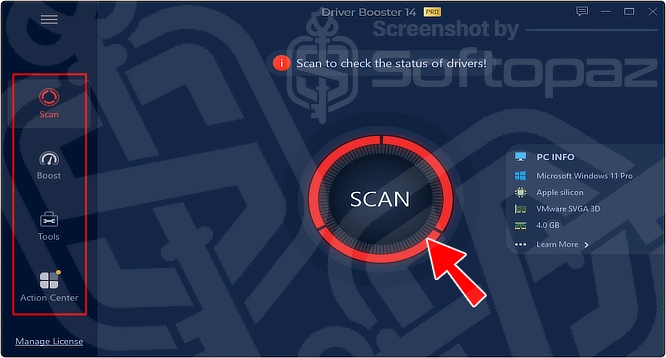
Once you lunach the Application, you can run a driver scan.
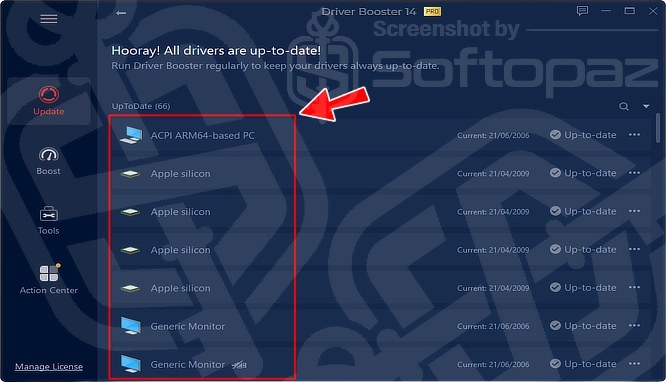
As you can see in the screenshot above, once the scan finishes, it shows a single-click Update Now button, which enables updating all the outdated drivers safely at once.
If the drivers have already been updated, it shows an “Up-to-date” label.
During the scan; it identifies broken, outdated, missing, and incorrect drivers on the PC. Then, provides an efficient way to download and install the exact up-to-date match for the system and devices by connecting to the cloud.
What are the advantages of updating drivers using a driver updater like iObit Driver Booster PRO
The main advantage is that users can update all the drivers with one click. It provides faster driver download speeds, giving priority to updating more critical drivers first.
From where the driver updates on Driver Booster come from?
The sources of the new driver updates will be from the original hardware manufacturers. All the updates have to pass the Microsoft WHQL test and iObit test to ensure the stability and security of the system.
Certified Driver Database – 23 Million+ Drivers from 1,200+ Major Brands
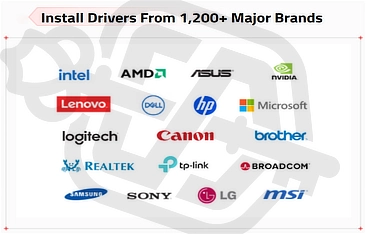
iObit Driver Booster has a massive database of over 23,000,000+ manufacturer-certified drivers from 1,200+ major brands.
Powerful Driver Updating Functions
Driver Booster comes with powerful driver updating features.
- Automatic Scan/Update:
- Once you enable the “Auto update” option, the program scans for outdated drivers and updates to the latest version automatically.
- Safe Updating Process:
- Before performing each driver update installation, the program creates a System Restore point automatically and backs up the current drivers. If any unexpected trouble occurs while updating the update process, you can roll back updates to the previous state easily.
- Game Ready Driver Updates:
- While choosing the updates, the program pays special attention to providing the latest Game Ready drivers, which are optimized for gaming performance.
- Offline Driver Update:
- Driver Booster comes with an Offline Driver Updater function that can fix computer driver problems with no internet connection.
Why is promptly updating drivers on Windows a critical thing?
Obsolete drivers on Windows systems may adversely affect PC performance and even cause system crashes or freezing screens.
Game Boost Mode for Better Gaming Experience
This driver updater tool includes a special Game Boost Mode function to stop unnecessary apps/services when you play games.
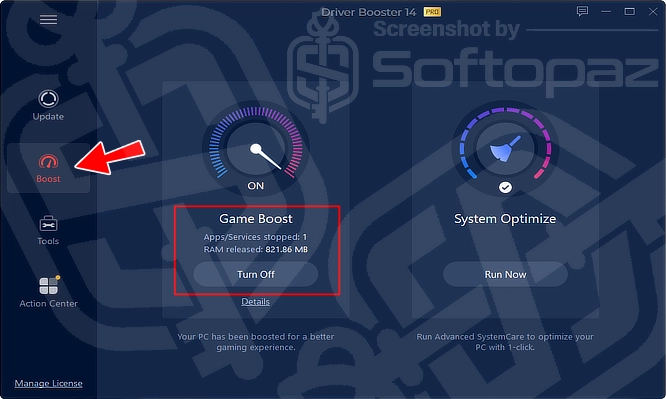
With this, you can optimize the PC performance for the ultimate gaming experience.
Other Tools to Fix Driver-Related Issues
Driver Booster App offers a few other failsafe tools to fix common problems in Windows as well.
It can fix no sound problems, network/internet failure, poor resolution, device errors, or other driver-related issues quickly.
Moreover, users can back up the drivers and easily revert to the previous, stable version if any problem occurs.
Skins – Changing The Appearance
The new version comes with some skins and allows you to choose a preferred colour from the colour picker.

Key Features
- Regularly scans and updates outdated drivers with minimal user intervention
- 1-click update function to update all outdated drivers at once
- Large 23 million+ driver database for a wide range of hardware components in 1200+ brands
- Safety and reliable updates by passing Microsoft WHQL and iObit tests
- Allows users to back up drivers and restore them if the new update causes issues.
- Prioritises gaming-related drivers and components to enhance the gaming experience
- Allows users to set exclusions for drivers they do not wish to update
- Diagnoses and repairs common errors associated with hardware devices on Windows
To get rid of giveaway terms
Buy 70% OFF Now
BUY Genuine iObit Driver Booster 14 PRO License Key with up to 70% Off!
Buy a genuine iObit Driver Booster Pro license using our exclusive deals from the official iObit order page. Get the maximum savings just now! Plus, enjoy Pro version automatic updates and premium technical support by iObit staff.
iObit Driver Booster PRO Coupon Codes

iObit Bundle Deals
Steps to
Get PRO FREE (Giveaway)
Giveaway License Coverage
| License Type | 06 Month License |
| License valid till | 2027-Apr-04 |
| Supported OS | Windows 11, 10, 8.1/8, 7, Vista, XP |
Giveaway Serial Key & FREE Activation Steps
8A5D2-1F71D-57AE8-086BD5FE72-E7316-160EB-F0A4DCheck LOWEST Price to get genuine license code with maximum discount today!


giveaway vs paid
PRO License FAQs
What is iObit Driver Booster PRO Giveaway License
You can activate the Pro version of iObit Driver Booster in two legal ways. The first method is using a paid license key. The no-cost method is using a giveaway license code. Note that giveaway license keys have limitations/restrictions.
iObit Driver Booster guarantees the driver matching precision by continuously optimized scan logic and a unique matching algorithm. Further, all supported drivers have passed Microsoft WHQL tests & but have also been tested according to IObit Review Rules.
iObit only offers yearly licenses for Driver Booster. If someone offers a lifetime licenses that might be a scam.
This is the



Driver Booster 12 has been released. Some giveaways?
Hello, Gogu!
Just added. Please activate ASAP.
activated successfully for driver booster 12 thank you very much
You’re welcome, fifi!
Please share the giveaway with your friends and support us.