iTop Easy Desktop PRO License Key

Other iTopVPN Products


The software
Overview
iTop Easy Desktop Pro Overview
Official Website: www.itopvpn.com
Supported Systems: Windows 11, 10, 8, 7
iTop Easy Desktop PRO helps you to nicely orgonize the desktop Workspace of your Windows PC.
It will clean up icons, speed up access to apps, and customize how your desktop looks and behaves.
This simple application focuses on simple controls and visual organization rather than heavy system tweaks.
It comes with a five main modules.
Boxes Section Options
This is where you manage structure, automation, shortcuts, and layout preferences in one place.
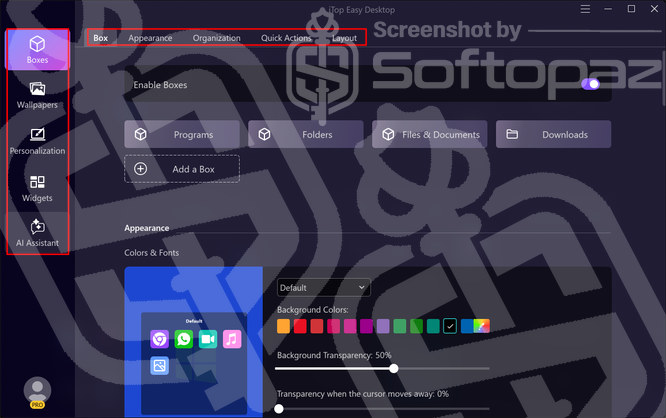
- Enable Boxes:
- Turns the box system on or off across your desktop. When enabled, your icons are grouped into boxes; when disabled, everything returns to the standard Windows desktop layout.
- Appearance settings:
- Control how boxes look on your desktop, including colors, fonts, transparency, and visual effects. You can decide when titles appear, adjust background opacity, and choose whether boxes react when the cursor moves away. Extra options like rounded corners, shadows, borders, and roll-up behavior let you fine-tune the look without changing how boxes work.
- Organization settings:
- Let you define rules that automatically sort desktop icons into the right boxes based on file type. You can control how new icons are handled, adjust item categories, and receive prompts when fresh items appear so your desktop stays orderly without manual sorting.
- Quick Actions settings:
- Add shortcuts for hiding or showing desktop icons and accessing boxes with simple gestures or hotkeys. You can also enable fast box creation, set how items open, and fine-tune quick access behavior to match how you work.
- Layout settings:
- Control how boxes behave when screen resolution changes and how they align while you move or resize them. You can keep positions consistent across displays, prevent boxes from covering icons, and save snapshots to restore your desktop layout later.
iTop Easy Desktop Pro helps you clean up and refresh your desktop in just three simple steps!
From quick setup to automatic file grouping and visual upgrades, it turns a cluttered workspace into something organized and pleasant to use.
Personalization
The Personalization section lets you change how your desktop looks at a system level, not just within boxes.
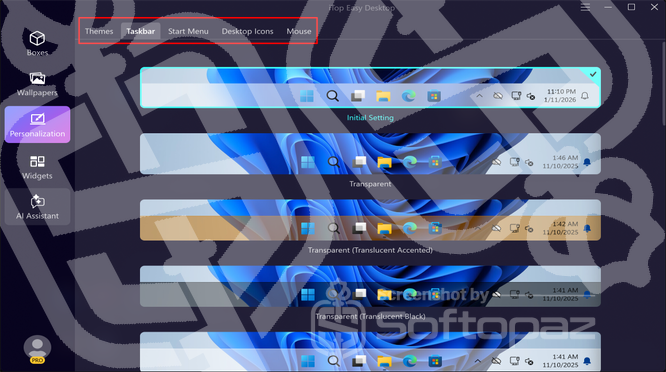
You can adjust themes, the Taskbar, Start Menu style, Desktop icons, and even mouse cursors from one place.
It’s built to help you match the desktop’s appearance to your taste while keeping everything consistent and easy to manage.
Widgets
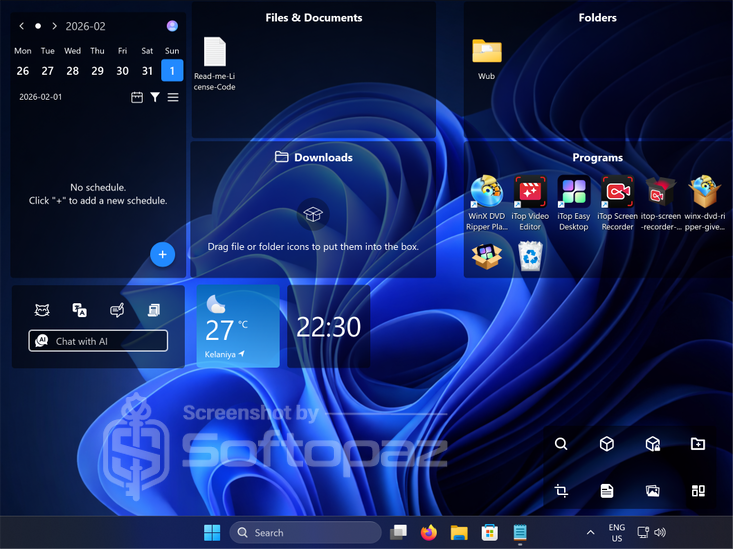
The Widgets section lets you place useful tools directly on your desktop for quick access.
You can enable or disable items like a clock, weather, schedule, notes, quick tools, Pomodoro timer, and AI chat, depending on what you want visible.
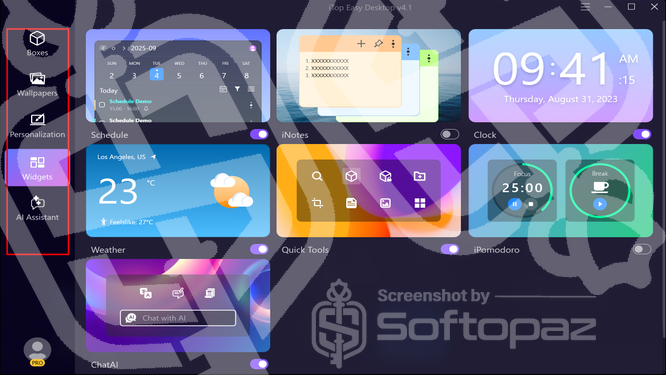
Each widget runs independently, so you can keep only what helps you day to day and avoid clutter.
Wallpaper
The Wallpaper section manages desktop backgrounds in one place.
You can switch wallpapers quickly, apply themes, or set up automatic changes. It pairs visual style with organization, so your desktop looks tidy and intentional.
AI Assistant
iTop Easy Desktop features an AI module (powered by ChatGPT) as well.
It comes with preset prompts to help you get clear answers faster, handle translations, and create content without leaving your desktop.
Key Features
- Boxes automatically group desktop icons to keep everything neat and easy to find.
- Private Boxes let you lock important files so they stay hidden from others.
- Folder Portal gives quick access to frequently used folders directly from the desktop.
- Personalize Boxes allows you to adjust colors, size, layout, and behavior of each box.
- Beautiful Wallpapers offer access to over 20,000 static and live backgrounds.
- Double Click Hide lets you hide or show desktop icons instantly with a simple action.
- AI Assistant provides built-in ChatGPT support for writing, translation, and quick help.
- Access Widgets adds tools like schedule, weather, clock, notes, and Pomodoro to your desktop.
- One-Click System Personalization changes themes, taskbar, icons, and mouse styles at once.
- Quick Screenshots with Scroll captures full pages or long windows without limits.
- Smart Search helps you locate files on your desktop quickly.
- Auto-Arrange Boxes keeps your layout tidy even when new icons appear.
To get rid of giveaway terms
Buy 80% OFF Now
Buy Genuine iTop Easy Desktop PRO License Key with 70% Off Now!
Unlock the full power of iTop Easy Desktop PRO at an unbeatable price today! Visit thier exclusive promotion page to secure the best deal. You’ll enjoy the benefits of automatic updates and free, 24/7 tech support from the iTop team.
iTop Easy Desktop PRO License
✔ Free technical support by iTop
✔ Free Automatic updates to new version
✔ Covered by iTopVPN Refund Policy
Steps to
Get PRO FREE (Giveaway)
Giveaway License Coverage
| License Type | 3 Months License |
| License valid till | 2026-May-22 |
| Supported OS | Windows 11, 10, 8, 7 |
Giveaway Activation Code & FREE Activation Steps
softopaz4@itopuser.comPyAFJBr6BTGAJ-9XR8U-ZKD8H-PAAA1P9QAW-BVMCP-YZVYW-TBQA1Check LOWEST Price to get genuine license code with maximum discount today!
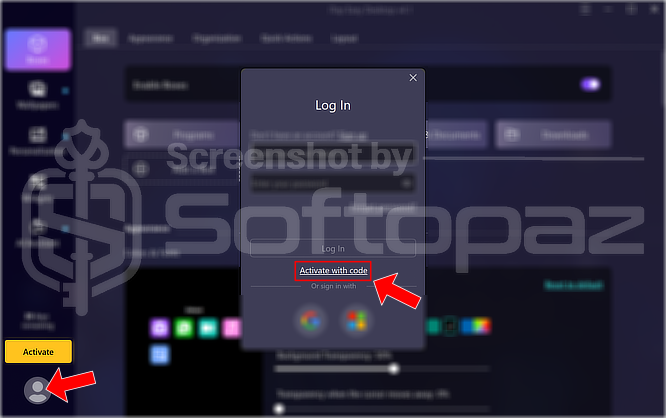
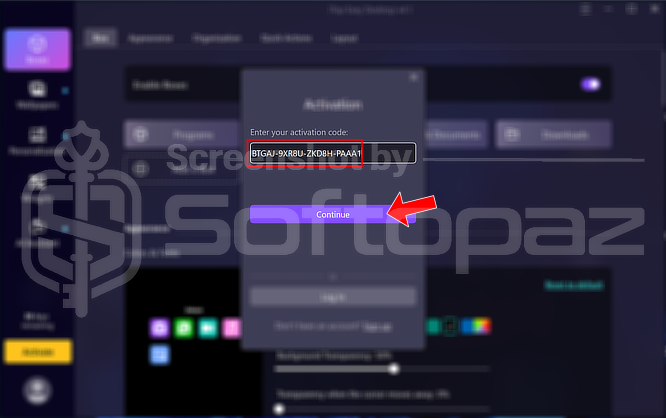
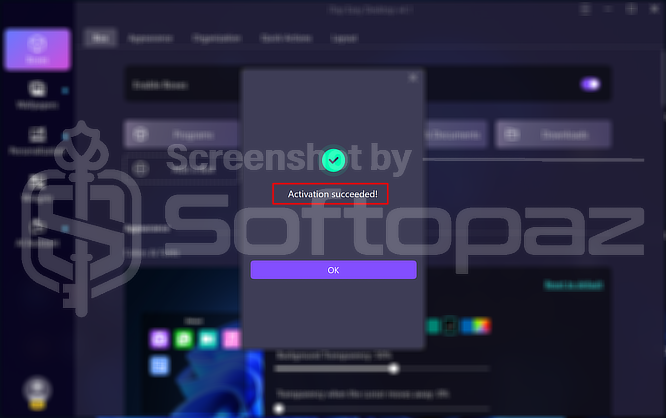
giveaway vs paid
PRO License FAQs
What is iTop Easy Desktop PRO Giveaway License?
iTop Easy Desktop PRO giveaway license is a special promotional type license that allows you to activate all pro features for free. However, when you activate the pro version using a giveaway license, it may have certain restrictions and limitations.
This is the