iTop Voicy License Key

Other iTopVPN Products




The software
Overview
iTop Voicy Pro Overview
Official Website: www.itopvpn.com
Supported Systems: Windows 11, 10, 8, 7
iTop Voicy Pro helps you to change your voice in real time across games, voice chats, and live streams.
It lets you switch between different voice styles, adjust tone and pitch, and keep your voice sounding natural while doing it.
You can use it to sound like different characters, change age or gender, or create fun and creative effects for content.
The voice output will be smooth and responsive, with no noticeable delay during use.
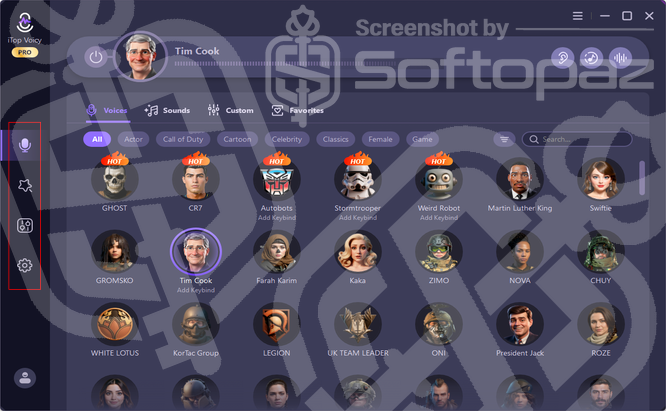
iTop Voicy has three main sections.
Real-Time Voice Changer
This section lets you change your voice live while speaking in games, chat apps, or streaming tools. You can switch voices on the fly and hear the result instantly, which makes it easy to test and fine-tune before you go live.
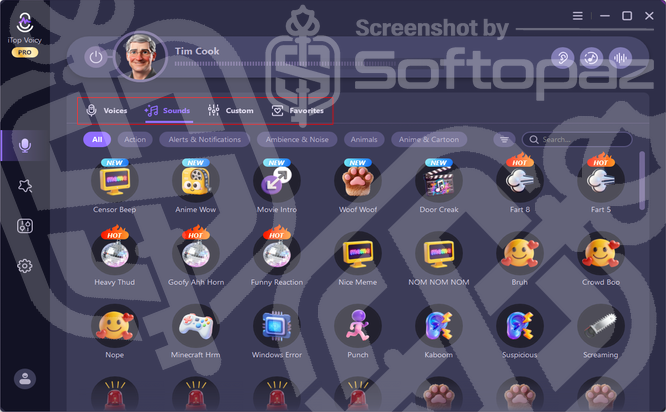
The Voices tab includes preset voices inspired by well-known characters and public figures, along with themed styles from games and cartoons. You just pick a voice and activate it, with no setup needed beyond selecting your mic and output.
The Sounds tab gives you a soundboard with short effects like reactions, alerts, animal sounds, and ambient noise.
These can be triggered in real time to add quick moments of humour or emphasis during a stream or call.
This section also links to the custom voice tool, where you can start shaping your own voice style using built-in effects.
It is meant for users who want more control than presets offer, without needing audio editing skills.
What are the real practical scenarios where you can use iTop Voicy Pro?
iTop Voicy Pro is useful in everyday situations where you use online gaming, live streaming, or online meetings.
For example, you can change your voice while playing online games to add fun to team chats or to keep your real voice private.
It also fits well with live streaming on platforms like Twitch or YouTube.
Voice Lab
Voice Lab is the area where you build custom voices from scratch. You can turn effects on or off and adjust sliders for things like pitch, timbre, volume, and vocal tone.
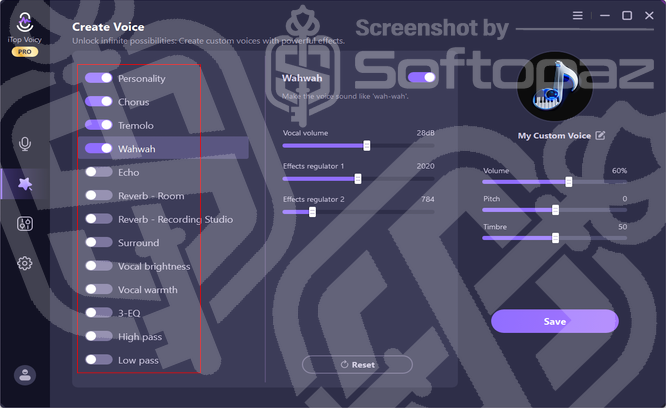
Each effect, such as echo, reverb, chorus, or EQ, can be mixed to get a specific sound. The layout is simple, so you can experiment fast and hear changes in real time.
Once you are happy with a setup, you can save it as your own custom voice. This makes it easy to reuse the same voice style across games, calls, or recordings.
File Voice Changer
The File Voice Changer lets you apply voice effects to audio and video files. You import a file, pick a voice or custom preset, and process it to get a new version with the changed voice.
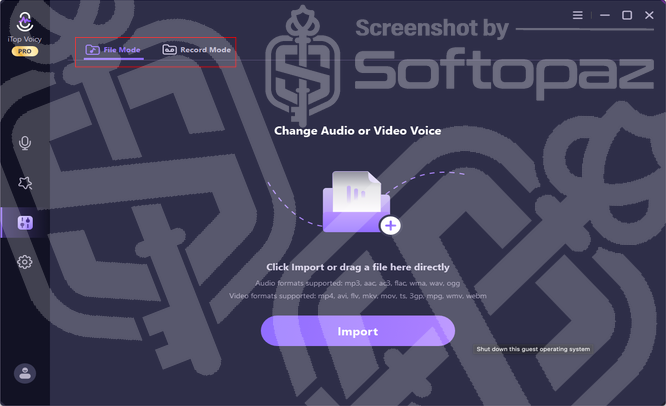
This is useful for content creation, short clips, or voiceovers where you want a different tone or character voice.
It supports common audio and video formats, so you can work with most files without converting them first.
This section also includes a recording mode. You can record your voice directly in the app and then apply voice changes to the recording, which is handy if you want quick voiceovers without extra software.
Key Features
- Real-time voice changing: Change your voice instantly while talking in games, calls, or live streams.
- Preset character voices: Choose from a wide range of ready-made voices inspired by popular characters and styles.
- Soundboard effects: Play short sound effects in real time to react during chats or streams.
- Custom voice creation: Build your own voice styles by adjusting pitch, tone, and effects.
- Voice Lab controls: Fine-tune voice effects with simple sliders and on-screen controls.
- Audio and video file voice changer: Apply voice changes to recorded audio and video files.
- Built-in voice recorder: Record your microphone voice directly inside the app.
- Low-latency performance: Hear your changed voice with minimal delay while speaking.
- Wide app compatibility: Use the voice changer with most games, chat apps, and streaming software on Windows.
To get rid of giveaway terms
Buy 65% OFF Now
Buy Genuine iTop Voicy PRO License Key with 65% Off Today!
Purchase a genuine license code for iTop Voicy PRO with the best discount today! Visit the iTop exclusive promotion page now. You’ll get free automatic updates and free 24/7 tech support from the iTop team.
iTop Voicy PRO License
✔ Free Automatic program updates
✔ Free technical support by iTop
✔ Covered by iTopVPN Refund Policy
Steps to
Get PRO FREE (Giveaway)
Giveaway License Coverage
| License Type | 3 Months License |
| Supported OS | Windows 11, 10, 8, 7 |
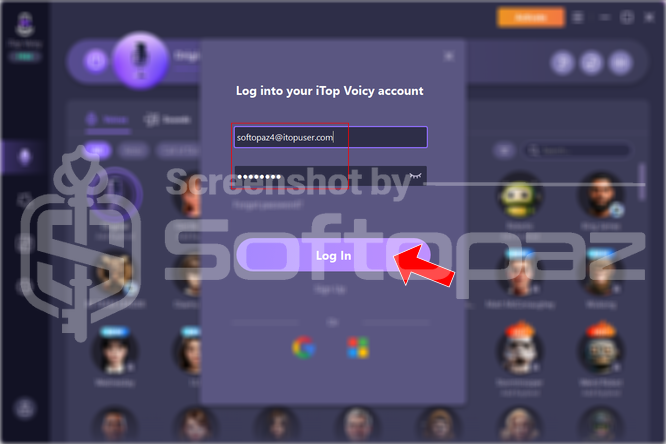
Giveaway Activation Code & FREE Activation Steps
softopaz4@itopuser.comPyAFJBr6Check LOWEST Price to get genuine license code with maximum discount today!
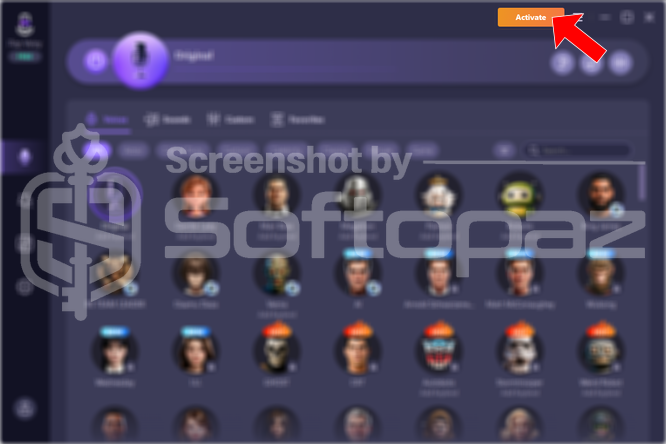
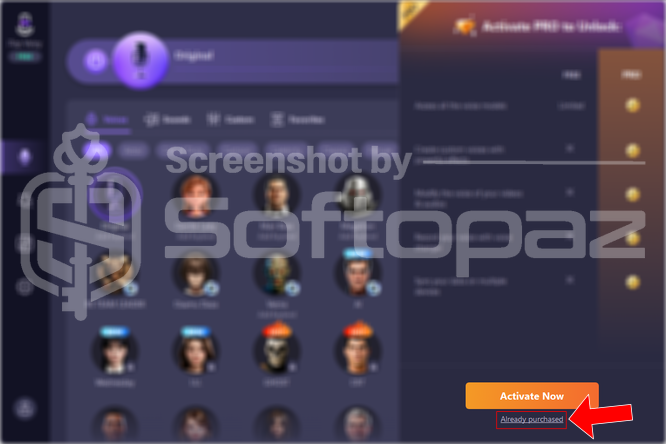
giveaway vs paid
PRO License FAQs
What is iTop Voicy PRO Giveaway License?
The iTop iTop Voicy PRO giveaway license is a special promotional license provided as login credentials (email and password). These details are shared by official iTop partners (such as softopaz) and unlock all PRO features once you sign in to the program with them. However, the giveaway license may include some restrictions or limitations.
This is the