ASCOMP PDF Imager Professional License Key

The software
Overview
ASCOMP PDF Imager Professional Overview
Official Website: www.ascompsoftware.com
Supported Systems: Windows 11, 10, 8.1/8, 7, Vista, XP
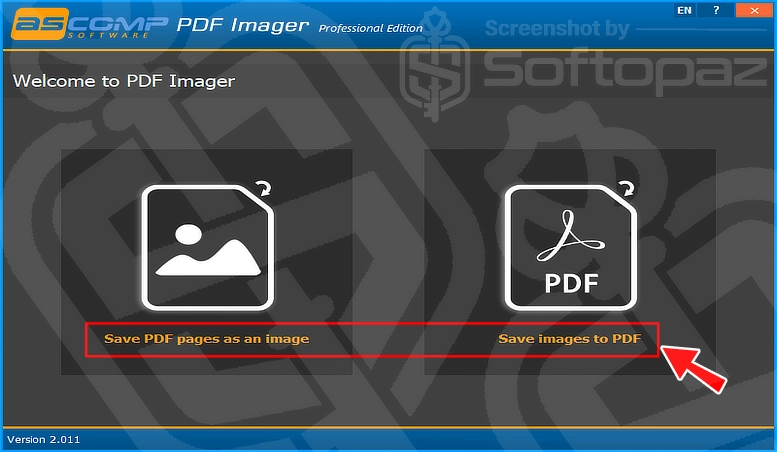
ASCOMP PDF Imager Professional helps you convert PDF files into images and images into PDF documents.
It comes with two main modules:
- PDF to Image
- Image to PDF
You can also process multiple files at once using its batch conversion mode.
1. PDF to Image
This module allows you to save PDF pages as image files. You can convert either the current page, selected pages, or all pages of a PDF document.
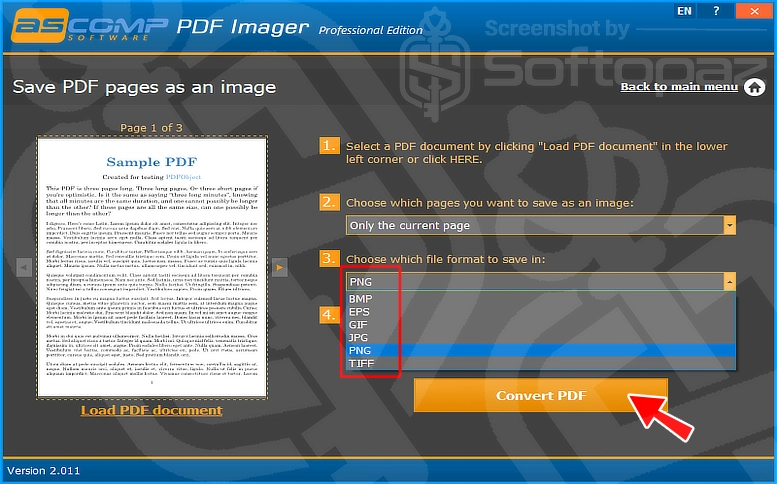
As you can see in the screenshot above, simply load your PDF. Then, choose the pages (all pages or a specific page only) you want to convert, and select an output format.
It supports several image formats, including PNG, JPG, BMP, EPS, GIF, and TIFF.
Once converted, you can open the images in Paint or Photoshop to add your signature, make changes, or edit them as needed.
2. Image to PDF
The Image to PDF module allows you to create a PDF document using one or more images. Simply add your images, choose the page format, and select an image compression filter before creating the PDF.
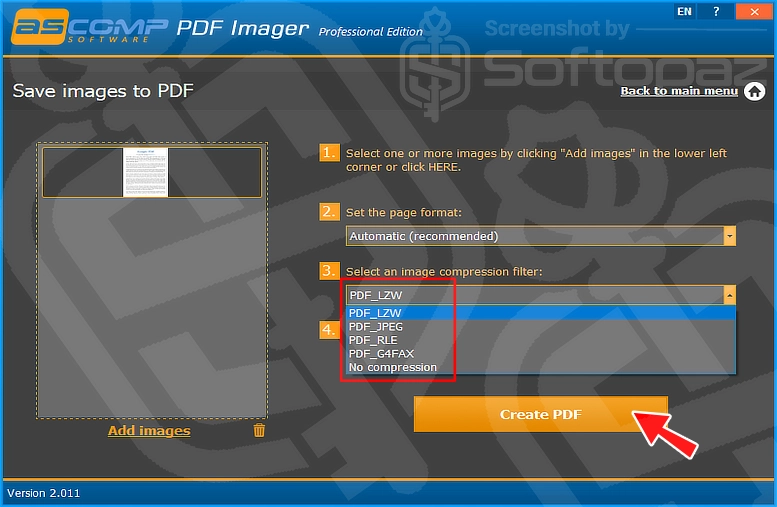
As you can see in the screenshot above, once you add an image to the application, you can choose from several output formats, including PNG, JPG, BMP, GIF, EPS, and TIFF.
You can also combine several images into a single PDF document.
Keep in mind that text within the images remains part of the image. Therefore, you cannot select, copy, or edit it as normal PDF text.
User Interface & Experience
ASCOMP PDF Imager Pro comes with a simple and intuitive interface.
If you frequently use features like “Image to PDF” or “PDF to Image”, this tool is a good choice for everyday PDF and image conversions without installing resource-intensive PDF editors.
It also supports batch conversion, which is useful when working with multiple PDF files or images.
Key Features
- Simple User Interface: Convert files through an easy-to-use interface without complicated steps
- PDF to Image Conversion: Convert PDF pages into image files in a few clicks
- Image to PDF Conversion: Create PDF documents using one or multiple images
- Multiple Output Formats: Supports PNG, JPG, BMP, EPS, GIF, and TIFF formats
- Batch Conversion: Process multiple PDF files or images at once
- Flexible Page Selection: Convert the current page, selected pages, or an entire PDF document
- Custom PDF Page Format: Choose the page format when creating PDFs from images
- Image Compression Options: Different compression filters like JPEG, LZW, RLE, and G4FAX
- High-Quality Conversion: Export PDF pages as high-resolution images
To get rid of giveaway terms
Buy 60% OFF Now
BUY Genuine ASCOMP PDF Imager Professional License Key
Purchase a genuine license code for ASCOMP PDF Imager Professional via our exclusive link to get the lowest price for the paid version on the official website. You will get free updates and technical support from ASCOMP.
ASCOMP PDF Imager Professional License Private / Company / Update
✔ Choose from Private, Company, Update license types
✔ Free updates and support from ASCOMP
✔ Covered by ASCOMP money-back guarantee
Steps to
Get Full FREE (Giveaway)
Giveaway License Terms
| License Type | 6 Months License |
| Giveaway Ends | Nov-15, 2026 |
| Supported OS | Windows 11, 10, 8.1/8, 7 (32-bit & 64-bit) Windows Server 2008, 2012, 2016, 2019 (32-bit & 64-bit) |
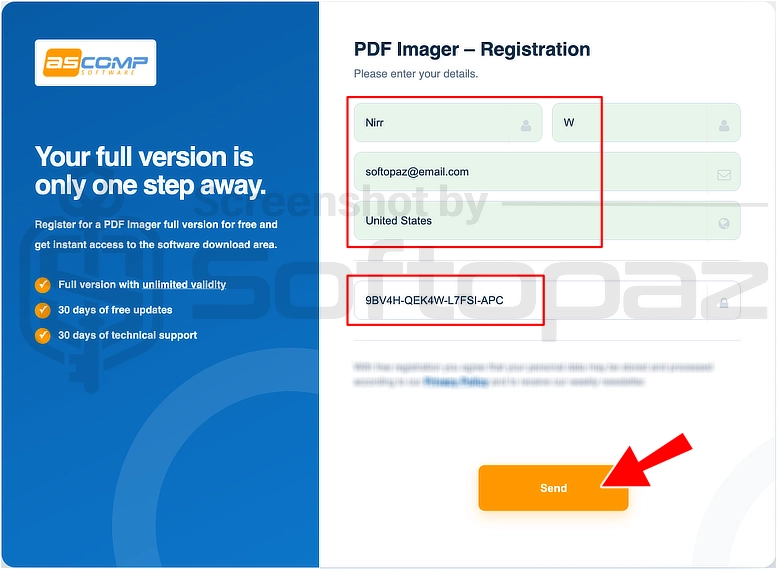
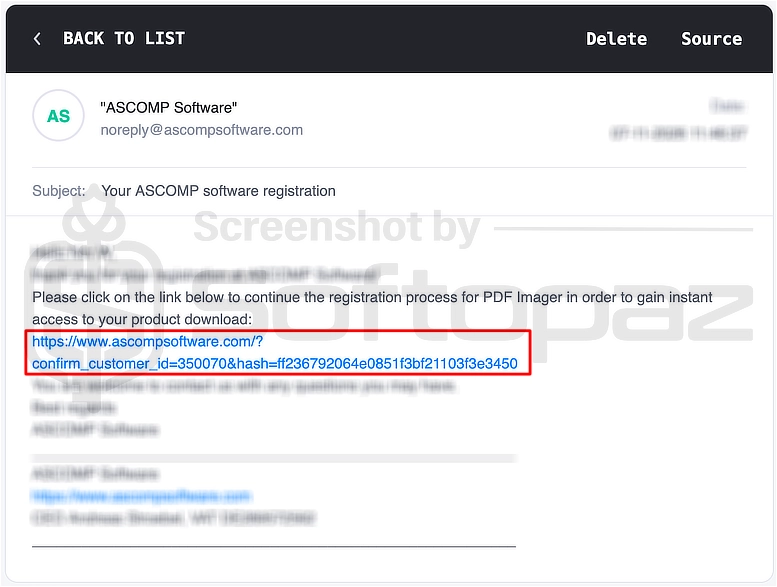
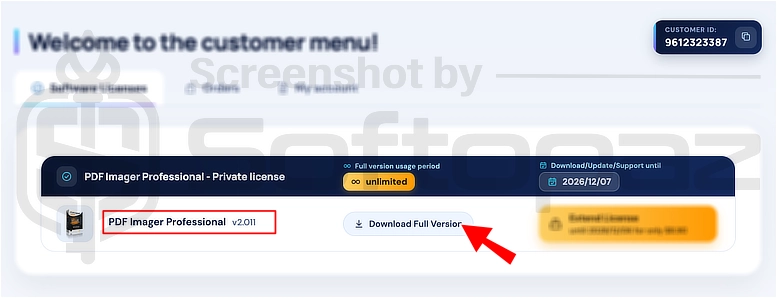
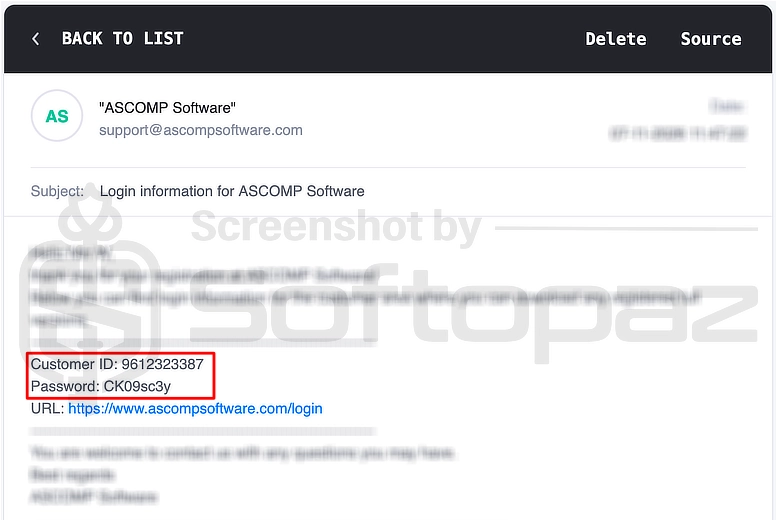
Giveaway License & FREE Activation Steps
Check LOWEST Price to get genuine license code with maximum discount today!
giveaway vs paid
Full License FAQs
What is ASCOMP PDF Imager Professional Giveaway License?
The ASCOMP PDF Imager Professional giveaway license lets you use the full version for free. However, it may come with certain restrictions on free updates and technical support.
This is the