PDNob PDF Editor License Key

The software
Overview
PDNob PDF Editor (Windows) Overview
Official Website: www.tenorshare.com
Supported Systems: Windows 11, 10, 8/8.1, 7
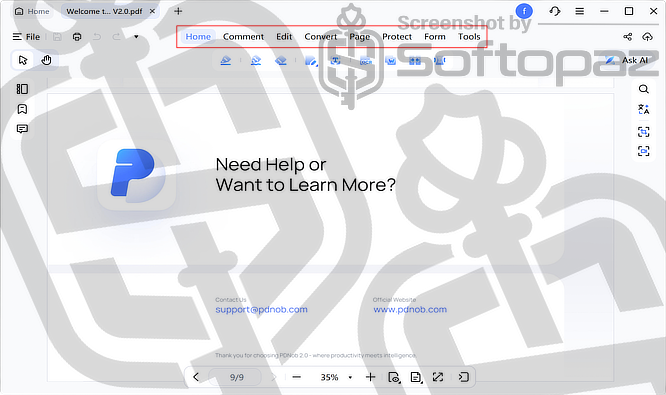
PDNob PDF Editor helps users edit, read, convert, annotate, organise, and protect PDF files in one place.
It features a clean interface with clearly organised modules for editing, annotation, conversion, OCR, and batch tools.
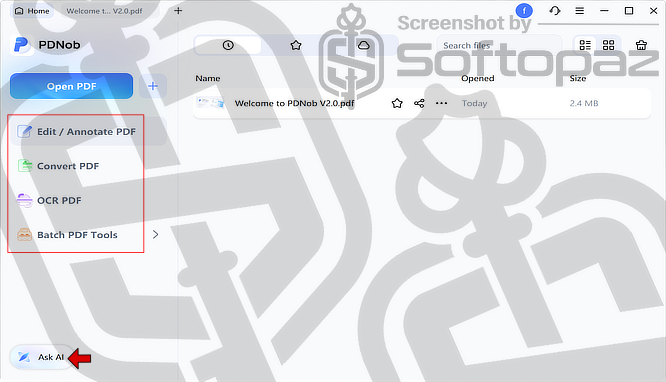
PDNob includes an AI-powered PDF Assistant for quick summaries, answers, and easier document interaction.
PDF Editing Modules
PDNob is structured into several key modules that group related tools,
- Edit:
- Enables direct changes to PDF content, including text, images, layout, watermarks, and headers. It also supports format conversion and OCR for editing scanned documents.
- Read:
- Provides tools for viewing and reviewing PDFs, such as annotation, commenting, zooming, bookmarking, and capturing snapshots.
- Batch Process:
- Allows multiple files to be handled at once, including conversion, compression, merging, OCR, watermarking, and printing.
- Protect:
- Focuses on securing documents through password protection and encryption to limit access and editing.
- PDF Tools:
- Includes basic utilities like splitting, merging, and compressing files to manage PDFs more efficiently.
- Manage Page:
- Offers options to organise pages by rearranging, extracting, splitting, or cropping them as needed.
AI Features of PDNob PDF Editor
This PDF editor includes built-in AI tools that help users work with documents faster and more efficiently.
It can generate quick summaries of full PDFs or selected text, making it easier to understand key points without reading everything.
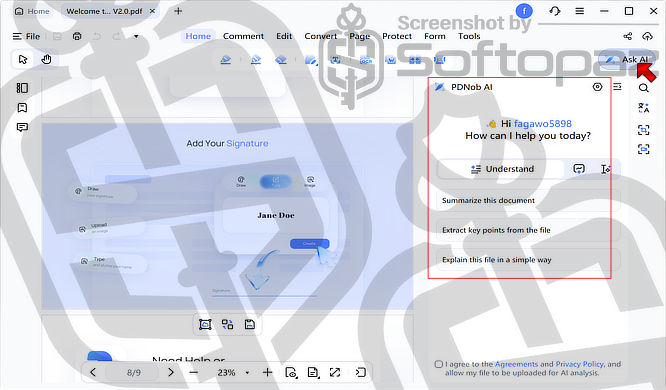
Users can also ask questions directly about a document and receive instant answers based on its content, while free-form Q&A allows more general queries beyond the file.
In addition, the text expansion feature helps turn short or simple text into more detailed and clear content, which is useful for writing and improving explanations.
Cloud Drive
PDNob PDF Editor offers cloud storage with up to 20GB space, allowing users to access and manage files across devices. You can upload up to 2GB and sync on up to two devices.
Key Features
- Clean and easy-to-use interface
- Edit text, images, and layout in PDFs
- Annotate with highlights, comments, and notes
- Convert PDFs to Word, Excel, PowerPoint, and images
- OCR to turn scanned PDFs into editable text
- AI tools for summarising, Q&A, and text expansion
- Merge, split, and organise PDF pages
- Batch processing for multiple files
- Add passwords, encryption, and watermarks
- Create and fill PDF forms with e-signatures
- Compress PDFs to reduce file size
- Cloud storage with file syncing across devices
To get rid of giveaway terms
Buy 30% OFF Now
BUY Genuine PDNob PDF Editor License Key with 40% Off
Purchase a genuine license key for PDNob via our exclusive deal from the official order page. Enjoy free program upgrades and 24/7 free technical support.
PDNob PDF Editor License Windows & Mac
✔ Year/Lifetime Licenses
✔ Free Upgrades to new versions
✔ Free Technical Support by PDNob
✔ Covered by Tenorshare 30-Day Money-Back money-back guarantee
Steps to
Get Full FREE (Giveaway)
Giveaway License Coverage
| License Type | 1 Month |
| Supported OS | Windows 11, 10, 8.1/8, 7 |
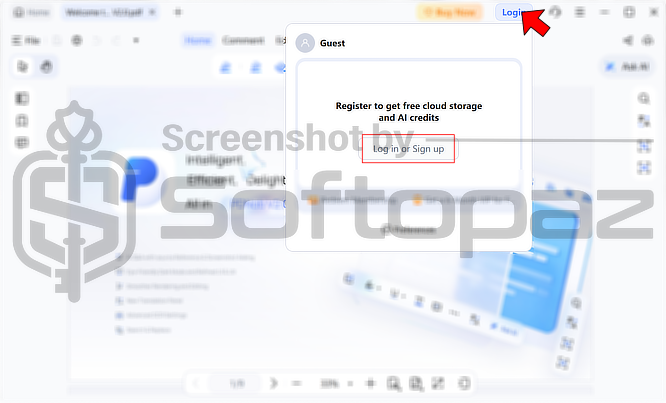
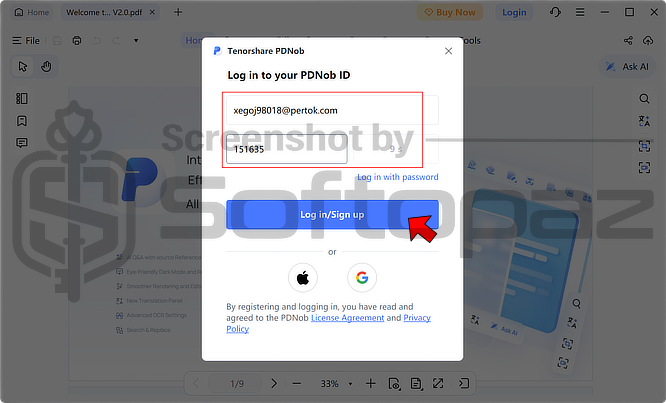
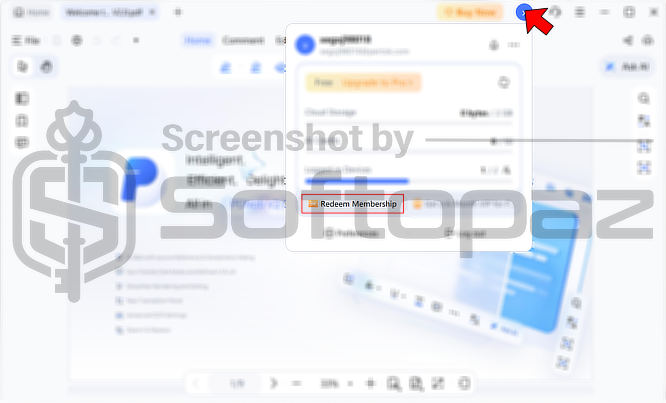
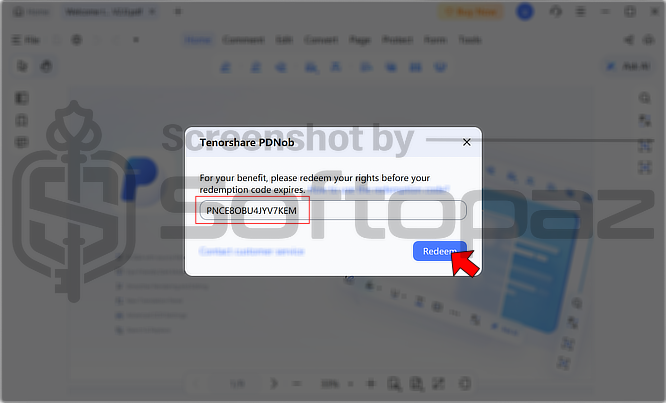
Giveaway License Code & FREE Activation Steps
https://sharewareonsale.com/s/free-tenorshare-pdnob-pdf-editor-with-ai-100-discountCheck LOWEST Price to get genuine license code with maximum discount today!
giveaway vs paid
Full License FAQs
What is PDNob Giveaway License?
The PDNob giveaway license is a promotional offer from Tenorshare that’s released from time to time. It lets you unlock the full features for free in a completely legal way. That said, giveaway licenses can come with some limitations or restrictions when you activate them.
This is the