A1RunGuard License Key

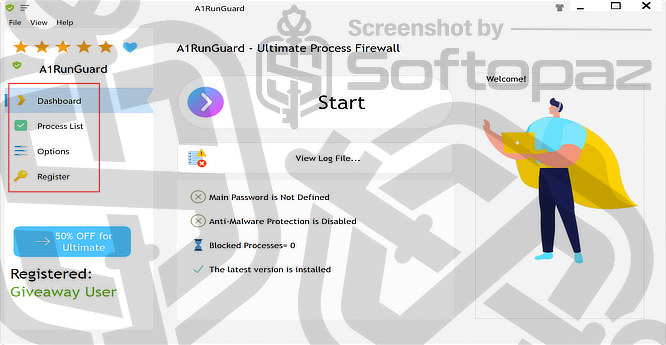
The software
Overview
A1RunGuard Premium Overview
Official Website: https://greatis.com/
Supported Systems: Windows 11, 10, 8/8.1, 7
A1RunGuard helps protect your system by controlling which programs can run, blocking unwanted applications, and securing executables with password protection.
Its main purpose is to control which programs can run on your system, rather than scanning files like a traditional antivirus.
It combines three core ideas:
- Block unwanted programs
- Password-protect apps and executables
- Stop ransomware behavior before it executes
Unlike heavy antivirus tools, it’s designed to be lightweight and compatible with existing security software.
How A1RunGuard Works (Core Engine)
A1RunGuard uses a Windows mechanism called the Image File Execution Options (IFEO) debugger method.
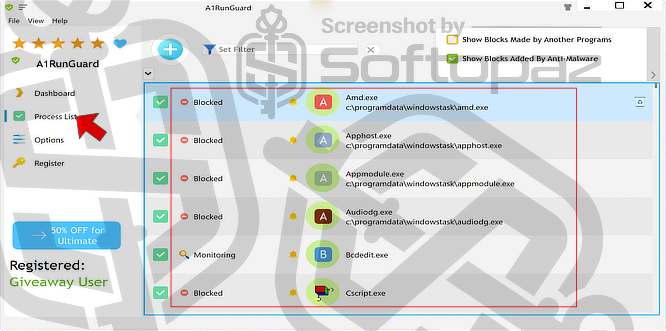
In simple terms:
- When you launch a program, Windows checks registry entries
- A1RunGuard inserts itself into that process
- It decides whether to:
- Allow it
- Block it
- Require a password
- Redirect it
This method works without modifying system files or installing drivers, making it lightweight and safe, and it can be easily enabled or disabled through simple registry changes.
Anti-Malware & Anti-Ransomware Protection
A1RunGuard’s anti-malware and anti-ransomware protection focuses on controlling program execution rather than scanning files like traditional antivirus software.
It works by detecting suspicious behaviour, monitoring commonly misused system tools, and blocking or alerting users when risky actions.
With automatic ransomware blocking, real-time alerts, and regularly updated malware definitions, it helps prevent threats before they can run.
Options
This section controls how the program behaves.
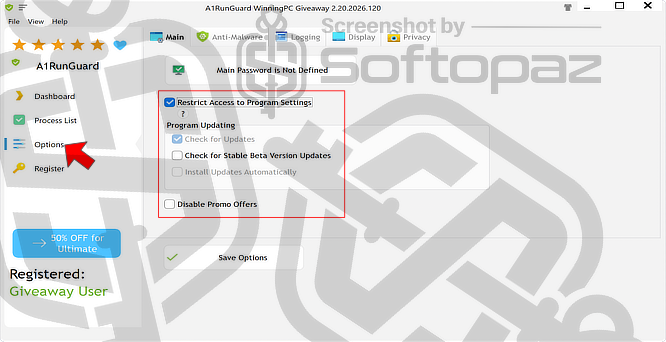
- Main Settings
- Controls access and basic program behavior by allowing users to define a main password and optionally restrict access to the settings panel itself. Includes update-related options such as checking for updates, enabling beta updates, and automatic installation (some options may be disabled depending on version/license).
- Anti-Malware Settings
- Manages how A1RunGuard handles suspicious or malicious processes by enabling anti-malware blocking and defining response actions. Includes advanced options like “Enforce Protection,” which blocks all risky processes instead of just monitoring them, and actions such as killing parent processes or asking user confirmation.
- Logging
- Enables tracking of system activity by recording events such as blocked or monitored processes. Lets users define where logs are stored and provides tools for managing logs, including cleaning settings, manual clearing, and deleting debug logs.
- Display
- Controls how the interface appears, including scaling options for text and window size to improve readability on different screen resolutions.
- Privacy
- Handles data-sharing preferences related to analytics, threat reporting, and error reports.
A1RunGuard is not a full antivirus and mainly blocks programs based on their name or path, rather than deeper analysis. It’s best described as a “process-level security controller”.
Key Features
- Allows users to block specific programs from running on the system
- Lets users lock applications so they can only be opened with a password
- Detects and stops suspicious behavior commonly used by ransomware
- Tracks running programs and identifies potentially risky processes
- Enables advanced users to define rules for handling specific processes
- Records events like blocked or detected processes for review
- Runs with minimal system impact without slowing down the computer
- Provides options to check for and install software updates
- Offers API integration capabilities for advanced users in higher editions
- Prevents unauthorized users from changing settings by locking the interface
Getting started with A1RunGuard
To get rid of giveaway terms
Buy 50% OFF Now
Buy Genuine A1RunGuard License Key with up to 50% Off Today!
Purchase a genuine license key to activate Premium / Ultimate versions of A1RunGuard with 50% less today! Use our our exclusive link to official order page. Enjoy free automatic upgrades to new versions and free technical support from Dmitry (developer of A1RunGuard).
A1RunGuard Premium License with 2 Years of Free Upgrades perpetual / 1 PC
✔ Free upgrades for 2 years
✔ Free Technical Support by Dmitry
✔ Covered by Greatis 30-days Money Back Guarantee
A1RunGuard Premium License with Unlimited Free Lifetime Upgrades Lifetime / 1 PC
✔ Free upgrades for lifetime
✔ Free Technical Support by Dmitry
✔ Covered by Greatis 30-days Money Back Guarantee
A1RunGuard Ultimate License with 2 Years of Free Upgrades perpetual / 1 PC
✔ Free upgrades for 2 years
✔ Free Technical Support by Dmitry
✔ Covered by Greatis 30-days Money Back Guarantee
A1RunGuard Premium License with Unlimited Free Lifetime Upgrades Lifetime / 1 PC
✔ Free upgrades for lifetime
✔ Free Technical Support by Dmitry
✔ Covered by Greatis 30-days Money Back Guarantee
Steps to
Get Full FREE (Giveaway)
Giveaway License Coverage
| License Type | Lifetime License |
| Supported OS | Windows 11, 10, 8/8.1, 7 |
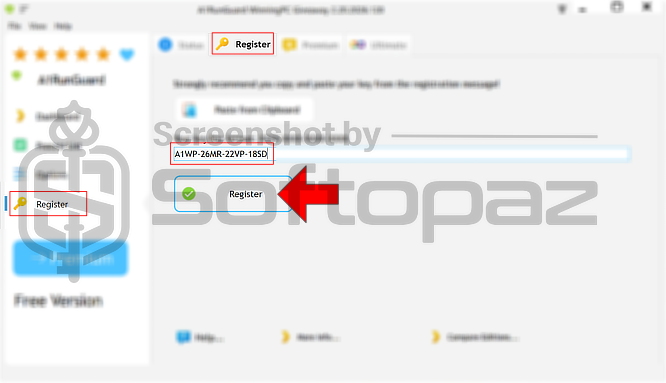
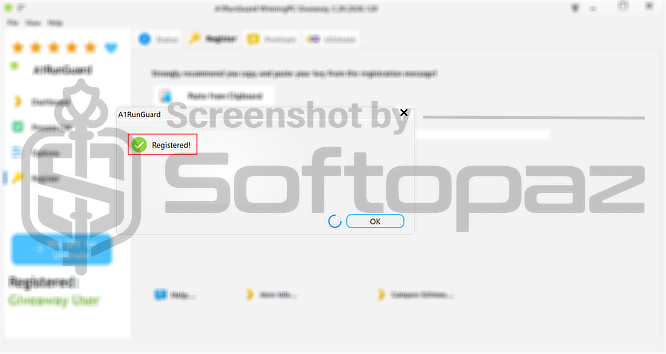
Giveaway License Code & FREE Activation Steps
https://greatissoftware.com/a1runguard_giveaway.zipA1WP-26MR-22VP-18SDCheck LOWEST Price to get genuine license code with maximum discount today!
giveaway vs paid
Full License FAQs
What is A1RunGuard Giveaway License?
A1RunGuard giveaway license is a promotional type license that is offered by official partners. It allows users to activate premium features for free in a 100% legal way. However, the giveaway premium license may have certain limitations/restrictions compared to the paid license.
This is the