Magic Data Recovery Pro License Key

The software
Overview
Magic Data Recovery Pro Overview
Official Website: www.amagicsoft.com
Supported Systems: Windows 11, 10, 8/8.1, 7, Server
Magic Data Recovery Pro help you to restore deleted, formatted, corrupted, or otherwise inaccessible files from a wide range of storage devices.
What was your data loss situation?
Whether your files were accidentally deleted, removed from the Recycle Bin, lost after formatting, or became inaccessible due to a system error, Magic Data Recovery Pro helps you recover them quickly and easily.
You can use Magic Data Recovery Pro to scan various storage devices, including hard disks, SSDs, USB flash drives, memory cards, encrypted disks, etc, and recover lost or deleted data from them.
Scan & Recover Deleted/Lost Files
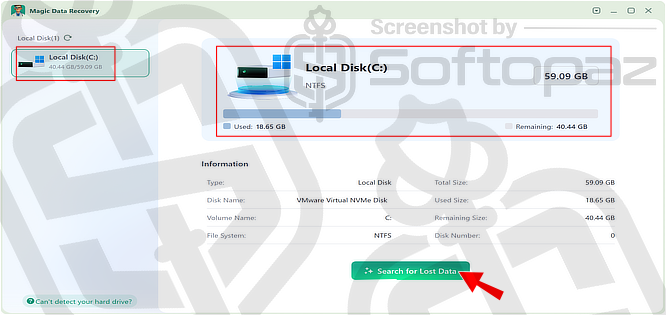
Once you launch the program, it will show all the connected storage devices on your computer.
Simply select the drive, partition, or storage device you want to recover data from and start the scan.
Professional-grade Scanning Technology
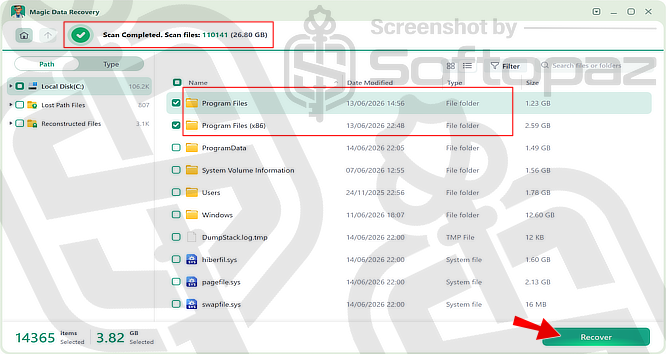
Magic Data Recovery Pro combines high-speed scanning with advanced recovery algorithms to detect and reconstruct lost files, delivering recovery rates of up to 99%.
After the scan is complete, all discovered files and folders are displayed in an organised explorer-style interface.
Preview Found File Before Recovery
Magic Data Recovery Pro allows you to preview supported files before recovering them.
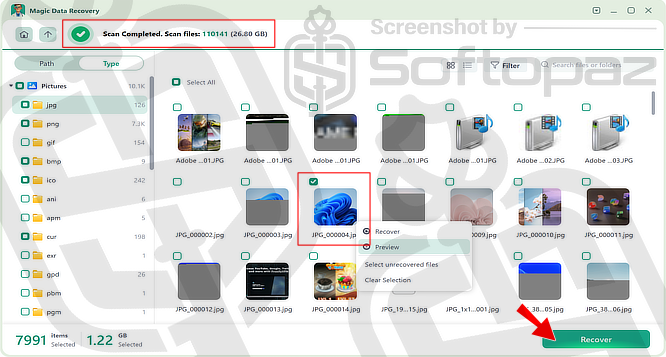
For example, you can preview images directly from the scan results to check their contents before restoring them.
It has built-in search and filtering options that allow users to narrow results by file name, folder, type, and other attributes, reducing the time required to locate important files.
Supported File Types
- Documents (TXT, RTF, DOC, DOCX, PDF, PPT, PPTX, XLS, XLSX)
- Images & Photos (PNG, JPG, JPEG, GIF, TIFF, BMP, RAW)
- Videos (AVI, MKV, MP4, MOV, WMV)
- Audio (MP3, AAC, WAV, FLAC)
- Archives (ZIP, RAR, 7Z, ISO)
- Emails and Databases (PST)
Supported File Systems
- NTFS
- FAT
- exFAT
- EXT2
- EXT3
- EXT4
- ReFS
Important Recovery Tips
Do not install Magic Data Recovery Pro on the drive you want to recover files from. Install it on a different drive to avoid overwriting recoverable data.
Key Features
- Restore files that were accidentally deleted from your computer or storage device
- Thoroughly scans storage media to locate lost and hidden files
- Preview supported files to verify their contents before restoring them
- Quickly locate specific files using built-in search and filtering tools
- Restore files with their original folder hierarchy whenever possible
- Recover data from accidentally formatted partitions and storage devices
- Simple step-by-step recovery process suitable for both beginners and advanced users
To get rid of giveaway terms
Buy 40% OFF Now
Buy Genuine Magic Data Recovery Pro License Code with 40% OFF today!
Purchase a genuine license key for Amagicsoft Magic Data Recovery via our exclusive promotion page to activate the Pro or Technician Editions at the lowest price. You can get free upgrades and technical support from Amagicsoft.com.
Magic Data Recovery Pro License Plans Year or Lifetime
✔ Free upgrades to new versions
✔ Free Tech Support from Amagicsoft.com
✔ Covered by Amagicsoft money-back guarantee
Steps to
Get PRO FREE (Giveaway)
Giveaway License Coverage
| License Type | 12 Months License |
| Supported OS | Windows 11, 10, 8/8.1, 7 |
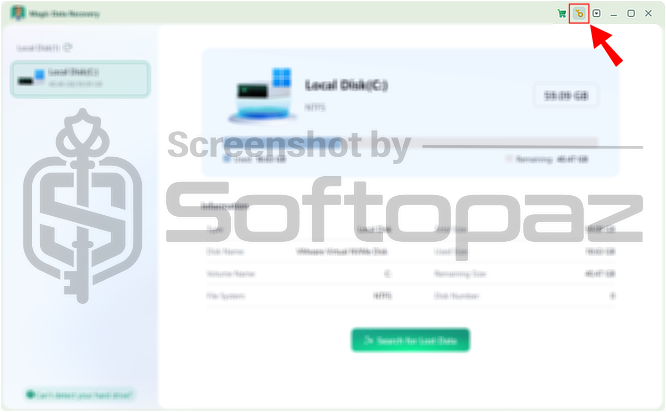
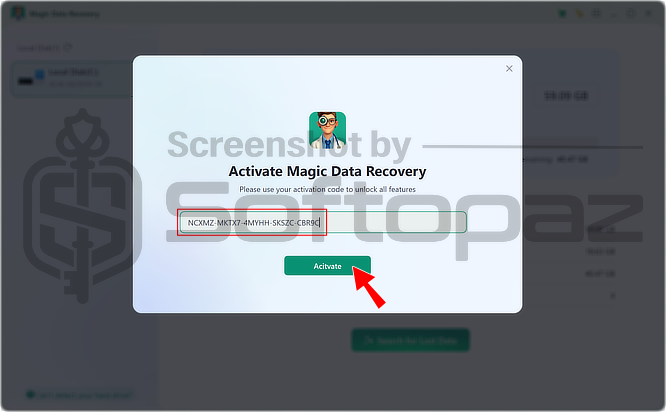
Giveaway License Key & FREE Activation Steps
NCXMZ-MKTX7-4MYHH-SKSZC-CBR9CM8XWE-G6SV6-FMA5M-QCYYF-PWFVDFV44Y-EHJCM-E4D3F-HS5U9-QHV47APWJ5-22JT7-JSNZ3-PVF8B-7UYXJCheck LOWEST Price to get genuine license code with maximum discount today!

giveaway vs paid
PRO License FAQs
What is Magic Recovery Key Giveaway License?
Magic Data Recovery Pro Giveaway License is a promotional license that lets users activate all PRO features for free and legally. However, some restrictions may apply in the giveaway license, such as limited updates, support, or upgrade eligibility.
This is the