DroidKit by iMobie License Key

Disclaimer: DroidKit is intended for use only on devices that you own or are authorised to access. Features such as screen unlocking, FRP bypass, and data recovery should not be used to gain unauthorised access to devices, accounts, or data. Users are solely responsible for complying with all applicable laws and regulations when using this software.
The software
Overview
iMobie DroidKit (Windows) Overview
Official Website: www.imobie.com
Supported Systems: Windows and macOS
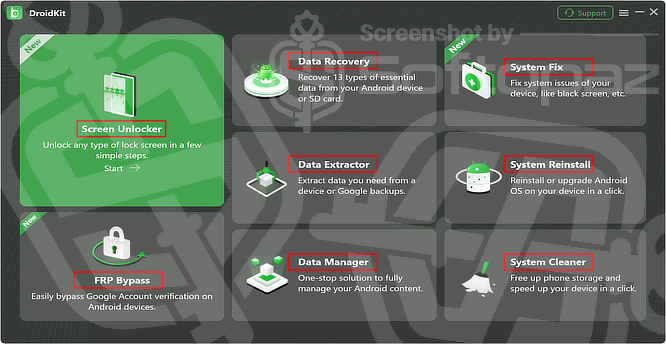
iMobie DroidKit helps you to solve common Android issues such as recovering lost data, fixing system problems, extracting important files, bypassing FRP lock, unlocking screen locks, cleaning junk files, and reinstalling or upgrading the Android system.
More importantly, it comes with a user-friendly interface and lets you perform these tasks in just a few simple clicks.
Modules in DroidKit
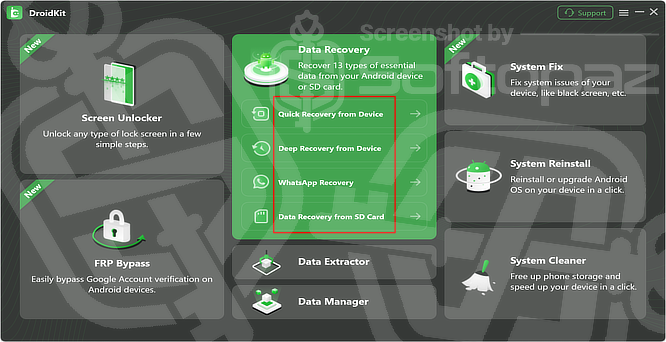
- 1) Screen Unlocker:
- The Screen Unlocker module helps remove various Android screen locks, including PINs, passwords, patterns, fingerprints, and facial recognition locks. It is intended for users who have forgotten their device credentials and need to regain access.
- 2) Data Recovery:
- Data Recovery section allows you to retrieve deleted or lost data from Android devices and SD cards. Supported data types include photos, videos, messages, contacts, WhatsApp data, and more. Quick Recovery and Deep Recovery modes are available depending on the recovery scenario.
- 3) System Fix:
- This feature is designed to repair common Android system problems such as black screens, boot loops, system crashes, frozen devices, and other software-related issues. It aims to restore device functionality without requiring advanced technical knowledge.
- 4) Data Extractor:
- Data Extractor enables users to retrieve important information from inaccessible sources, including crashed devices and Google backups. It can help recover files when a device is damaged or unable to boot normally.
- 5) FRP Bypass:
- FRP (Factory Reset Protection) Bypass is intended to help users regain access to their own Android devices after a factory reset when account verification becomes an issue. Support varies depending on device model and Android version.
- 6) Data Manager:
- Data Manager provides a centralised way to organise and manage Android content. Users can transfer, back up, export, and manage files such as photos, videos, contacts, and messages directly from a computer.
- 7) System Reinstall:
- System Reinstall allows users to reinstall or upgrade Android firmware to resolve software issues and restore device stability. This feature can be useful when system corruption prevents normal device operation.
- 8) System Cleaner:
- System Cleaner helps remove unnecessary files, cache, and other junk data to free up storage space and improve overall device performance.
Which Android devices are supported by DroidKit?
DroidKit supports Android phones and tablets from nearly all major manufacturers, including Samsung, Google, HTC, Sony, LG, Motorola, Huawei, ZTE, Xiaomi, OPPO, Sharp, vivo, Lenovo, Meizu, OnePlus, TCL, Gionee, Meitu, Nubia, Smartisan, and many others.
Key Features
- Recover up to 13 types of essential data from Android devices and SD cards
- Extract data from crashed devices, Google backups, and SIM cards
- Unlock Android screen locks, including PIN, password, pattern, fingerprint, and face lock
- Bypass Google Account Verification (FRP) on supported Samsung devices
- Fix common Android system issues such as black screens, boot loops, and system crashes
- Reinstall or upgrade Android OS with a few simple clicks
- Clean junk files to free up storage and improve device performance
- Manage photos, videos, music, contacts, messages, and other personal data in one place
- Organise apps and files efficiently from your computer
- Transfer data between Android devices without hassle
- Switch from iPhone to Android with easy data migration tools
- Protect and manage personal information safely
- Support Android phones and tablets from most major manufacturers
Getting started with DroidKit
To get rid of giveaway terms
Buy 70% OFF Now
BUY Genuine DroidKit Activation Key with Now!
Purchase a genuine license key for DroidKit via our exclusive link to get the lowest price for the paid version. You will enjoy free updates to new versions and free 24/7/365 customer support from iMobie.
DroidKit (Windows/Mac) Coupon Code Deals
Steps to
Get Full FREE (Giveaway)
Giveaway License Coverage
| License Type | 1 Year License |
| Supported OS | Windows 11, 10, 8/8.1, 7 (both 32bit and 64bit) |
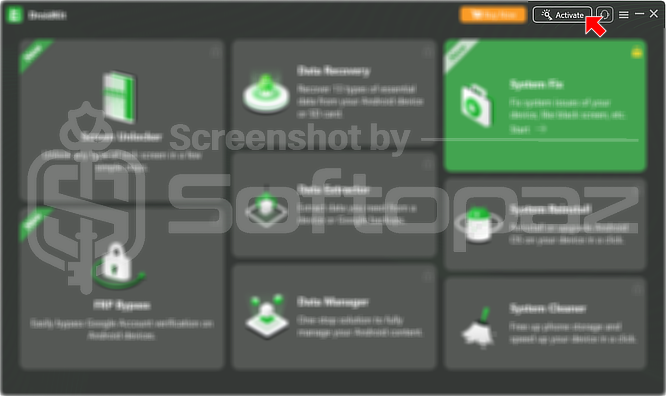
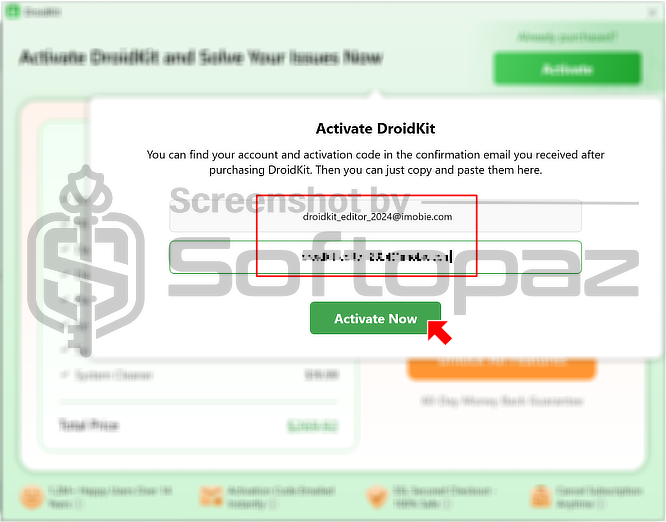
Giveaway License Key & FREE Activation Steps
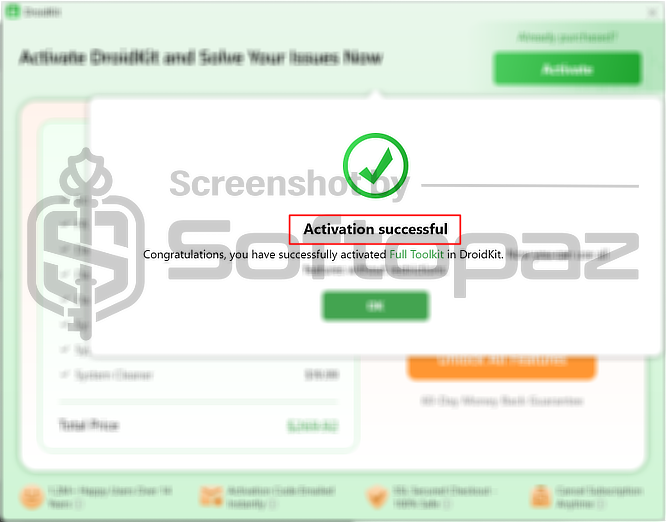
Please confirm your email using the link you received. The activation details should arrive in a separate email within a few minutes. However, since this giveaway is quite old, there is a chance that it may no longer work.
Check LOWEST Price to get genuine license code with maximum discount today!
giveaway vs paid
Full License FAQs
What is DroidKit Giveaway License?
DroidKit giveaway license is a special promotional license that lets you activate the full toolkit for free during a giveaway event. However, it may include some restrictions compared to a paid license, such as limited updates or support.
This is the