RecoveryFox AI License Key

The software
Overview
RecoveryFox AI (Windows) Overview
Official Website: www.wonderfoxrecovery.com
Supported Systems: Windows 10, 8, 7, Vista, XP
RecoveryFox AI helps you retrieve any deleted, lost, or inaccessible data in 3 easy steps.
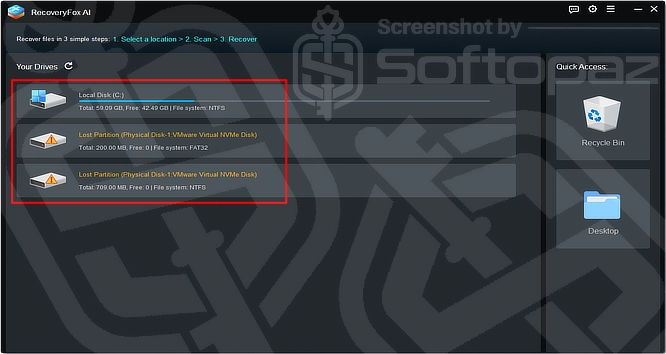
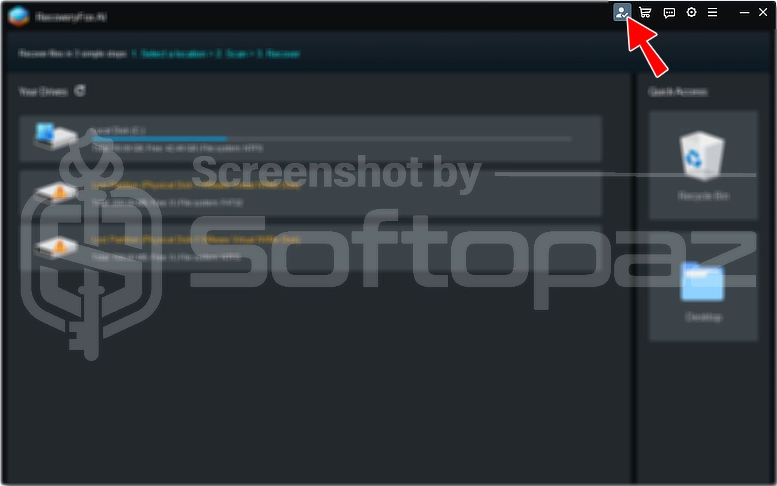
As shown in the first screenshot, RecoveryFox AI has a clean, user-friendly interface. When you launch the app, it automatically detects and displays the connected storage devices.
Who Is Behind RecoveryFox AI, and Can It Be Trusted?
RecoveryFox AI is developed by WonderFox Soft, a software company established in 2009 with over 10 million users worldwide. The company focuses on reliable software solutions and states that RecoveryFox AI prioritizes data privacy and safe recovery.
Drive Selection & Scan Process
RecoveryFox AI offers a simple recovery process.
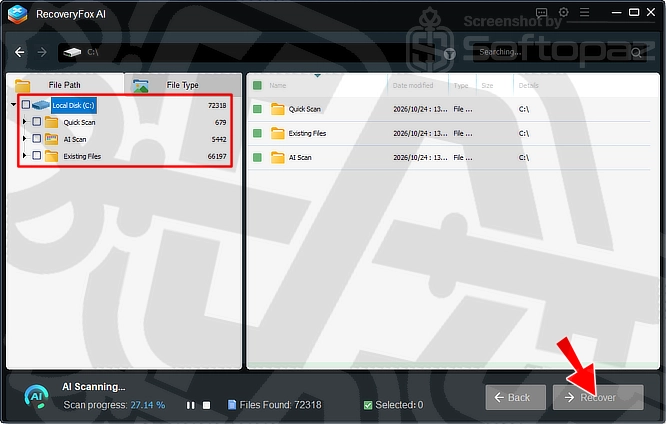
- Step 1: Select a Location
- Choose the hard drive, partition, or Recycle Bin where the files were lost. The software displays available storage devices, making it easy to select the target location.
- Step 2: Scan for Lost Files
- Start with Quick Scan to find recently deleted files. If needed, use AI Scan to search more deeply for additional recoverable data.
- Step 3: Preview and Recover
- Browse the scan results by file type or path, and use the search and filter options to find specific files. As you see in the screenshot below, you can preview supported files, select the ones you need, and recover them to a safe location.
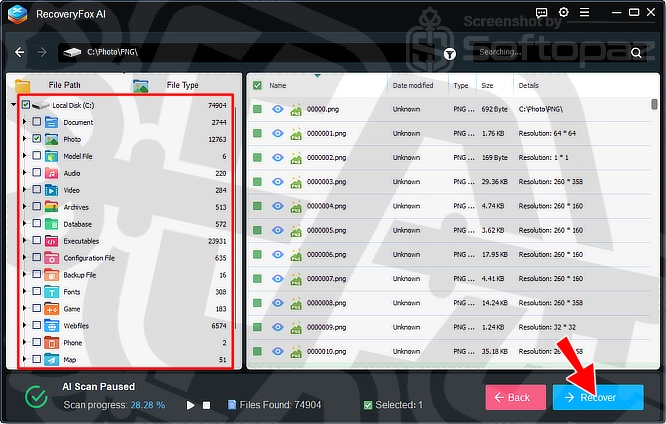
Multiple Scanning Modes
RecoveryFox AI includes options to find recoverable files. Quick Scan searches for recently deleted files, while AI Scan performs a deeper search for additional lost data.
The Existing Files section lets users browse files already detected on the selected drive
Supports a Wide Range of File Types
It supports over 500 file formats, including photos, videos, audio files, documents, and archives.
Common formats include JPG, PNG, MP4, MP3, DOCX, XLSX, and PDF, along with RAW images and other specialised file types.
Recover Files from Different Storage Devices
Users can scan internal and external storage devices, including HDDs, SSDs, USB flash drives, and SD cards.
Support for file systems such as NTFS, FAT32, and exFAT makes it compatible with a wide range of storage media.
Key Features
- AI-Powered Recovery: Uses AI scanning to find lost and deleted files
- Multiple File Systems: Supports NTFS, FAT, exFAT, and other file systems
- Wide Device Support: Recovers data from internal and external drives
- Free Scan and Preview: Scan for lost files and preview results before recovery
- 500+ File Formats: Supports photos, videos, documents, audio, and more
- Non-Destructive Recovery: Scans for lost data without intentionally modifying the original files
- Multiple Scan Modes: Offers Quick Scan and AI Scan to search for recoverable data
- File Filtering: Helps locate files by type or path
- Lost Partition Recovery: Helps find recoverable files on lost partitions
- Simple Interface: Makes it easy to select drives, scan, and recover files
To get rid of giveaway terms
Buy 50% OFF Now
Buy Genuine RecoveryFox AI License Code with OFF
Purchase a genuine license key for RecoveryFox AI through our exclusive deal from the official order page. Enjoy free updates and support from wonderfoxrecovery.com
RecoveryFox AI Coupon Codes
Steps to
Get Full FREE (Giveaway)
Giveaway License Coverage
| License Type | Lifetime License |
| Giveaway Ends | Nov-3, 2026 |
| Supported OS | Windows 10, 8/8.1, 7, Vista, XP |
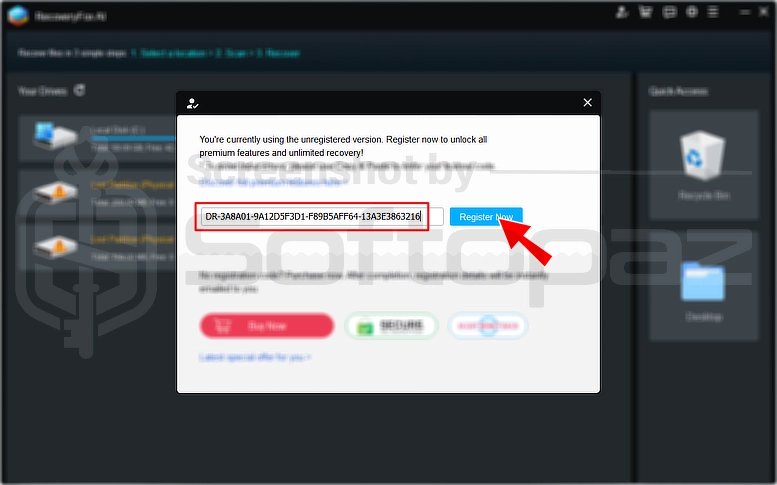
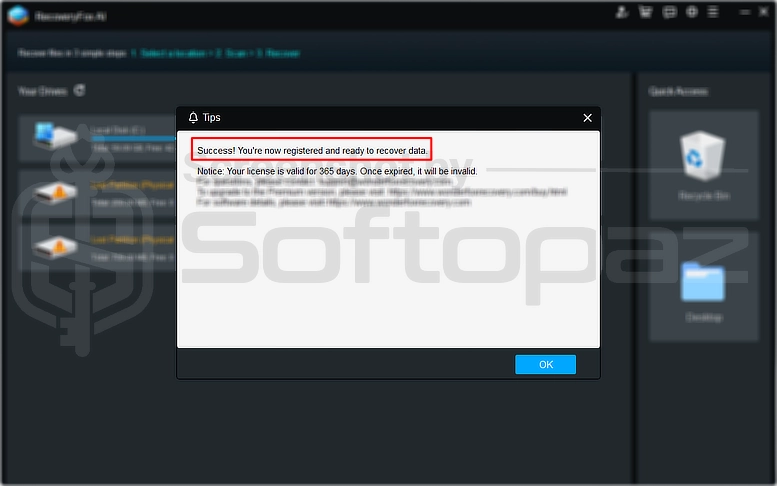
Giveaway License Key & FREE Activation Steps
Go WonderFoxRecovery.com Download Page
Check LOWEST Price to get genuine license code with maximum discount today!
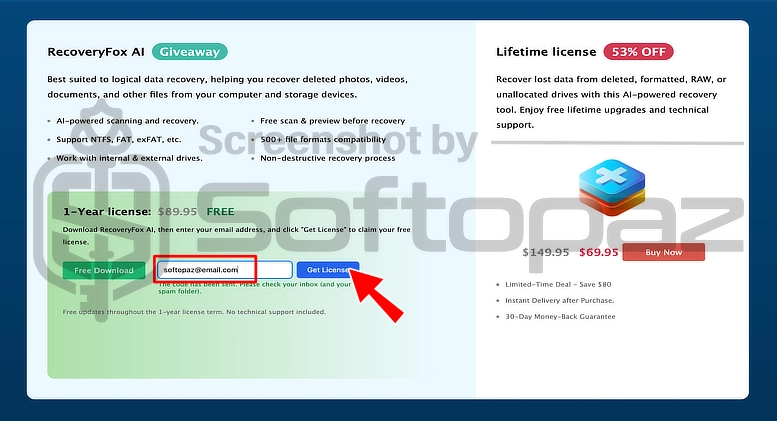
giveaway vs paid
Full License FAQs
What is RecoveryFox AI Giveaway License?
RecoveryFox AI giveaway licenses are promotional licenses announced by the official site or its partners. They are available only during specific giveaway periods and must be activated within that timeframe. Some restrictions may apply.
This is the