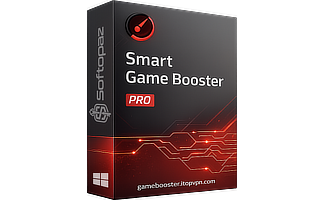
PC Game Booster 8 Pro License Key

The software
Overview
PC Game Booster 8 Pro Overview
Official Website: www.smartpcutilities.com
Supported Systems: Windows 11, 10, 8.1/8, 7, Vista, XP
PC Game Booster helps you to achieve the best lag-free gaming experience on PC by optimizing the system resources. It’s suitable for gamers and users who work with resource-demanding Apps/games.
How does Game Fire Pro unlock a smooth lag-free gaming experience?
The tool leverages a multifaceted approach to transform your PC into an optimized gaming platform. It turn off unnecessary system processes/services, eliminate interruptions, applies various tweaks, and focus PC resources on the playing game.
Game Mode & Customizations
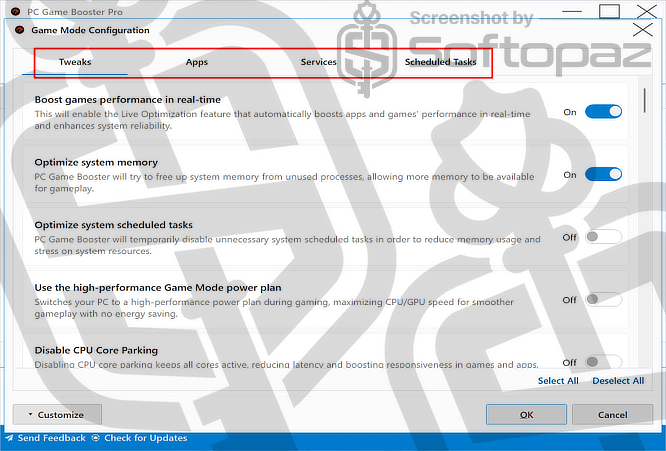
PC Game Booster has a One-click Optimization Button that activates all the optimization for you. In addition to that, you can manually opt-in the settings to achieve an optimal balance between system performance.
- Selective Optimization:
- Users can select specific processes and system features to be paused or deprioritized. This will reduce the impact on system resources during gaming sessions. It’s particularly useful if the system is running multiple background tasks or services.
- Direct Game Launch:
- This gives the ability to directly launch games from within the PC Game Booster PRO interface. The software will apply the customized Game Mode settings automatically when the game starts.
- Personalized Profiles:
- Gamers can create different profiles for various games. This is very helpful because each game might have unique requirements.
Live Optimization Option
PC Game Booster Pro includes another unique function for live optimization. Once you enabled this setting, it dynamically adjust system resources, optimizes memory usage, and prioritize processes in real-time
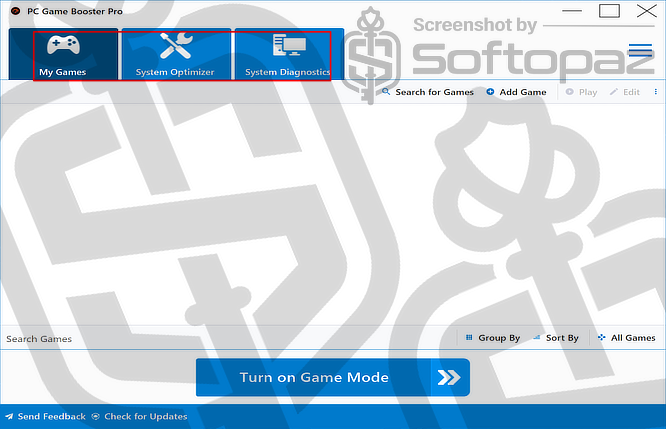
System Optimizer Module
This game optimiser utility has a comprehensive module for optimising different aspects of the system.
It allows users to fine-tune various aspects, including CPU, memory, disk usage, internet settings, applications, and visual effects, to achieve an improved gaming experience.
System Diagnostics Module
System Diagnostics tab provides an in-depth analysis of your PC’s hardware and software environment.
By examining components like the CPU, GPU, RAM, and operating system, it pinpoints potential bottlenecks that could be impacting gaming performance.
Health Monitoring & Temperature Warning
This game optimizer tool continuously monitors the PC’s hardware components for temperature levels and overall health status. If the software detects temperatures exceeding safe thresholds, it alerts the user with warnings.
Key Features
- One place to manage and optimize all PC games
- Automatic RAM optimization
- Boost Network and Internet speed
- Allows deprioritizing unnecessary processes
- Windows 10 apps and services optimizer
- Tune-up system to eliminate lags and interruptions
- Automatic mode to performance boost when launching games
- Full processes, services, and tasks optimization
- Eliminate background processes from consuming available resources
- Monitor system performance and health in real-time
- Get detailed information about Windows system, and hardware
- Defrag hard drives of the system to boost games performance
- Ability to create Game Mode power plans
To get rid of giveaway terms
Buy 40% OFF Now
They changed the name! Game Fire -> PC Game Booster
Buy Genuine PC Game Booster PRO License Key for V8 with 40% Off Today!
Use our exclusive link to get the lowest price for the paid version from the official website. You will enjoy free automatic upgrades and free technical support from SmartPCutilities.com.
PC Game Booster PRO (formerly Game Fire) Year License 1 YEAR / 1 PC
✔ Free Upgrades for 1 Year
✔ Free Technical Support by SmartPCUtilities.com
✔ Covered by Smart PC Utilities Money Back Guarantee
PC Game Booster PRO (formerly Game Fire) Lifetime License LIFETIME / 1 PC
✔ Free Upgrades for Lifetime
✔ Unlimited access for a one-time payment
✔ Free Technical Support by SmartPCUtilities.com
✔ Covered by Smart PC Utilities Money Back Guarantee
Steps to
Get PRO FREE (Giveaway)
Giveaway License Coverage
| License Type | 1 Year License |
| Supported OS | Windows 10, 8.1/8, 7, Vista |
Giveaway License Key & FREE Activation Steps
Check LOWEST Price to get genuine license code with maximum discount today!
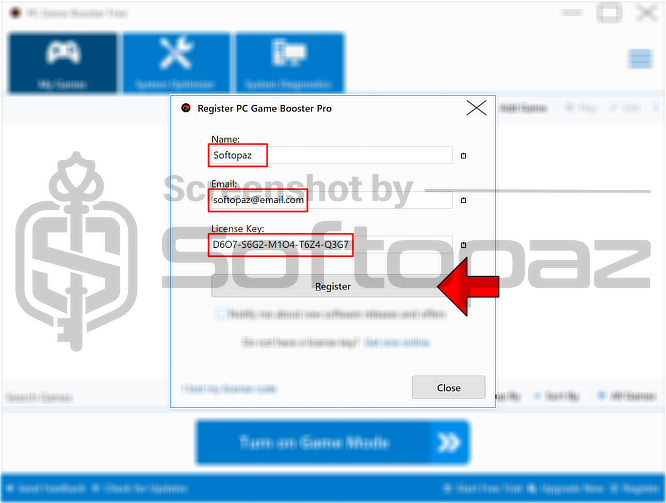
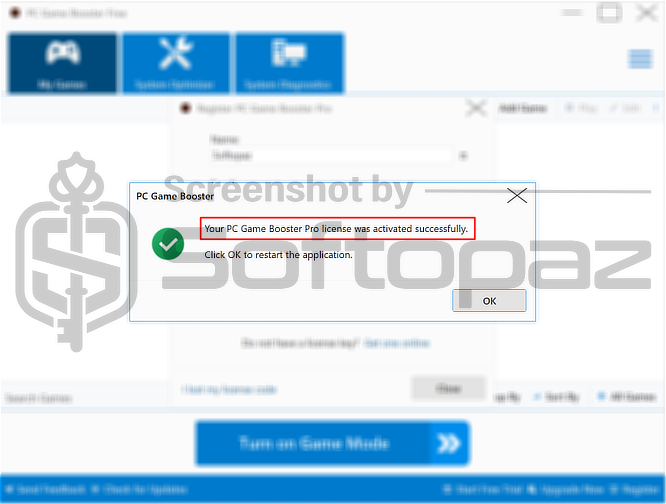
giveaway vs paid
PRO License FAQs
What is PC Game Booster PRO Giveaway License?
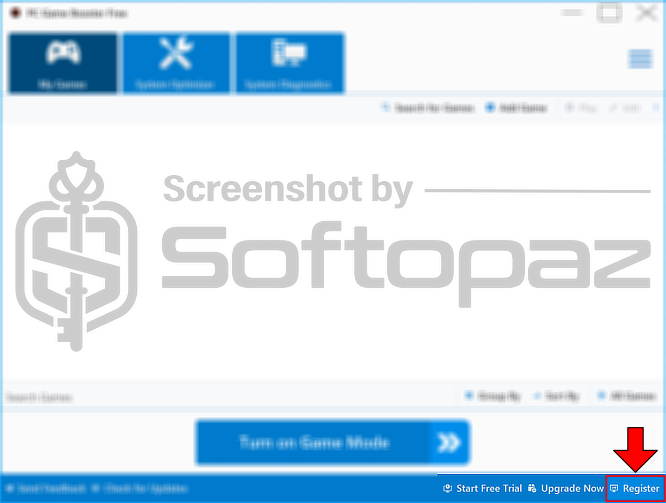
You can activate PC Game Booster PRO version legally in two ways. The first method is using a paid license key. Or you can try a giveaway license code to activate the Pro features. There are some limitations/restrictions when you activate the full version using a giveaway license.
This is the