VMware Fusion Pro License Key

The software
Overview
VMware Fusion Pro (26H1) Overview
Official Website: www.vmware.com
Supported Systems: macOS 15 Sequoia or later
VMware Fusion helps you run Windows, Linux, and other operating systems as virtual machines on your Mac without rebooting.
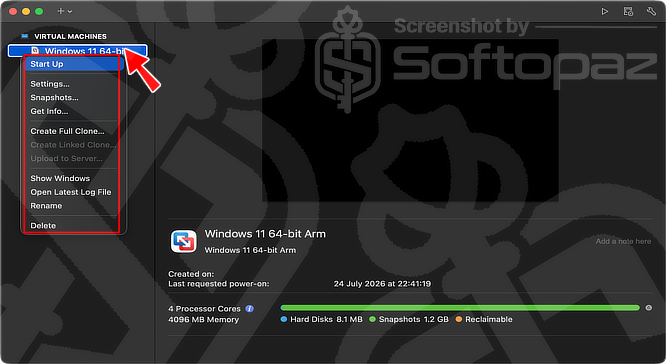
Originally developed by VMware and now part of Broadcom, it has been one of the leading virtualisation solutions for macOS for many years.
With the 26H1 release, Broadcom continues to offer the complete Fusion Pro edition free for personal, educational, and commercial use.
What’s New in Fusion Pro 26H1
Fusion Pro 26H1 introduces several improvements and quality updates, including:
- No licence key required for the full Pro edition.
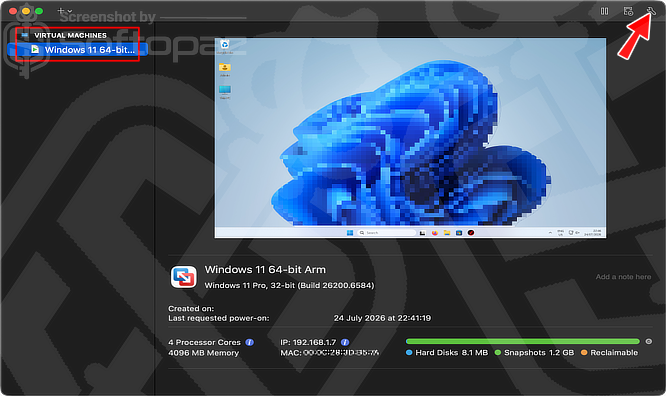
- New virtual machine metadata, including creation and last power-on timestamps.
- Remote connections to ARM-based VMware ESX hosts.
- Support for newer guest operating systems, including Ubuntu 26.04 LTS, Fedora 43/44, openSUSE 16, SUSE Linux Enterprise 16, and FreeBSD 15.
- Stability improvements, security updates, and bug fixes.
VM Management Tools
VMware Fusion Pro provides a complete set of tools for creating, running, cloning, and managing virtual machines on Mac computers.
You can customise virtual hardware resources, take snapshots, create linked or full clones, configure virtual networks, and easily share files or connect USB devices between your Mac and guest operating systems.
It also supports Virtual TPM (vTPM), UEFI Secure Boot, and hardware encryption, enabling modern operating systems like Windows 11 to run securely on macOS.
Key Features
- Run Windows, Linux, macOS (where supported), and other operating systems simultaneously.
- Create multiple virtual machines for testing and development.
- Allocate custom CPU cores, memory, storage, and networking.
- Create snapshots to restore a virtual machine to a previous state.
- Clone virtual machines for quick deployment.
- Support for Virtual TPM (vTPM) and UEFI Secure Boot.
- Configure NAT, Bridged, Host-Only, and custom virtual networks.
- Share files and folders seamlessly between macOS and guest operating systems.
- USB device passthrough and hardware acceleration support.
- Optimised for both Apple Silicon and Intel-based Macs.
Steps to
Get Full FREE (Giveaway)
Giveaway License Coverage
| License Type | Lifetime License |
| Available Version | 26H1 |
| Supported OS | macOS 15 Sequoia or later |
VMware Fusion Pro (26H1) Giveaway License Key & FREE Activation Steps
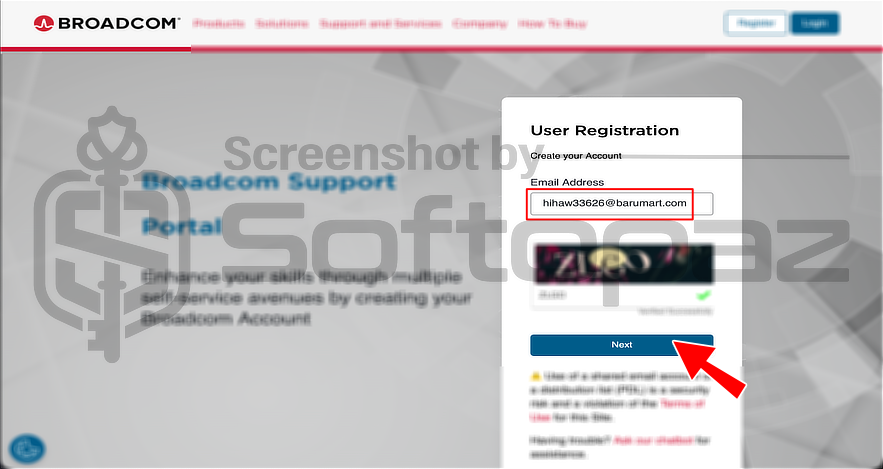
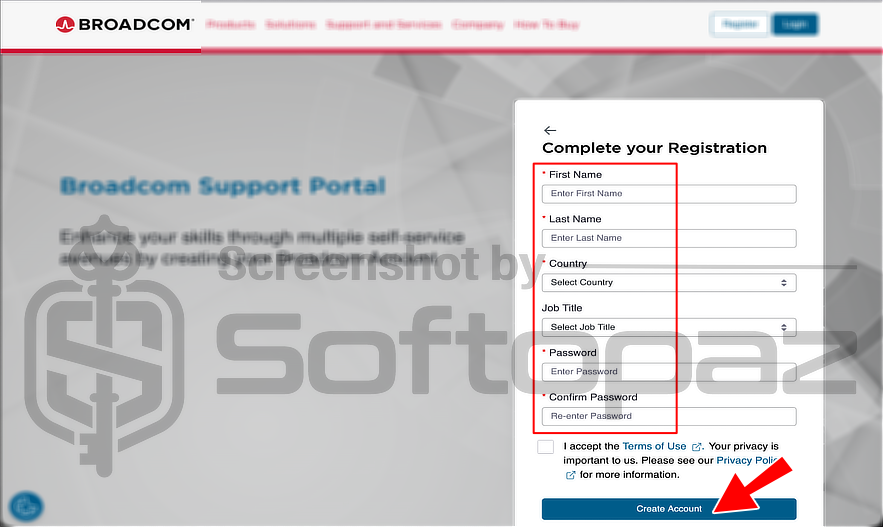
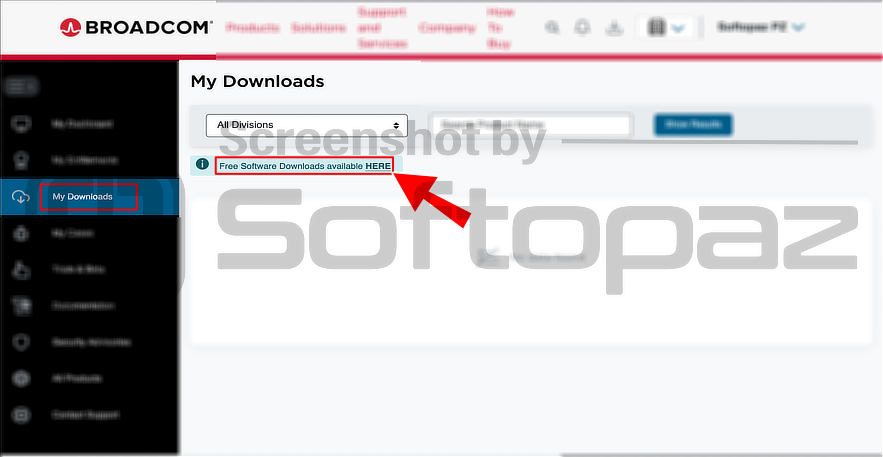
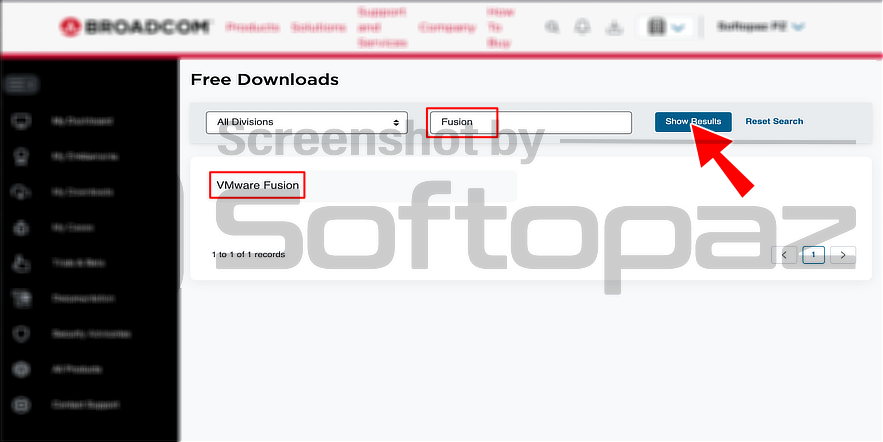
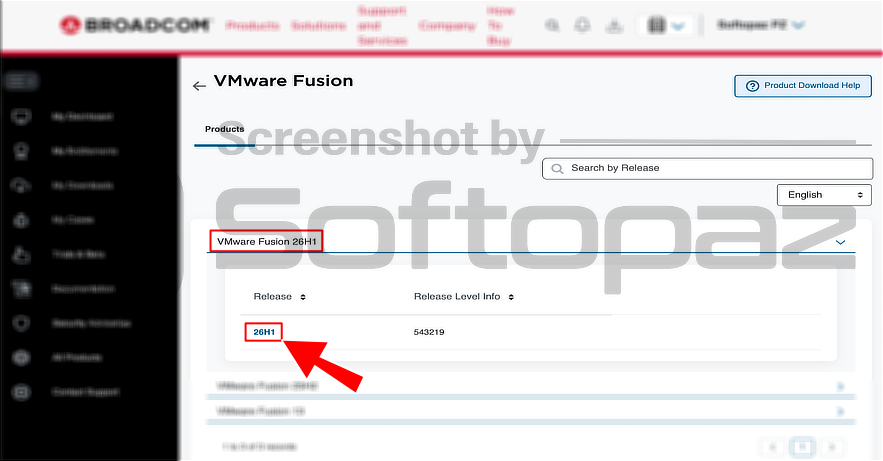
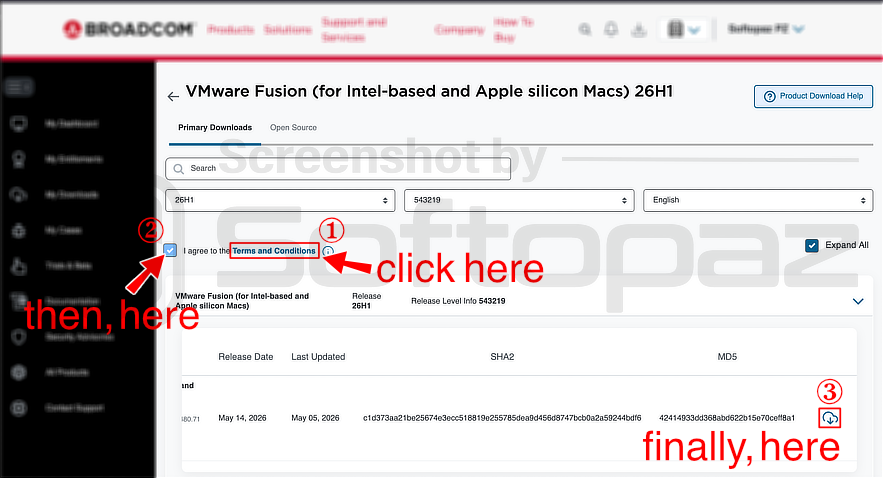
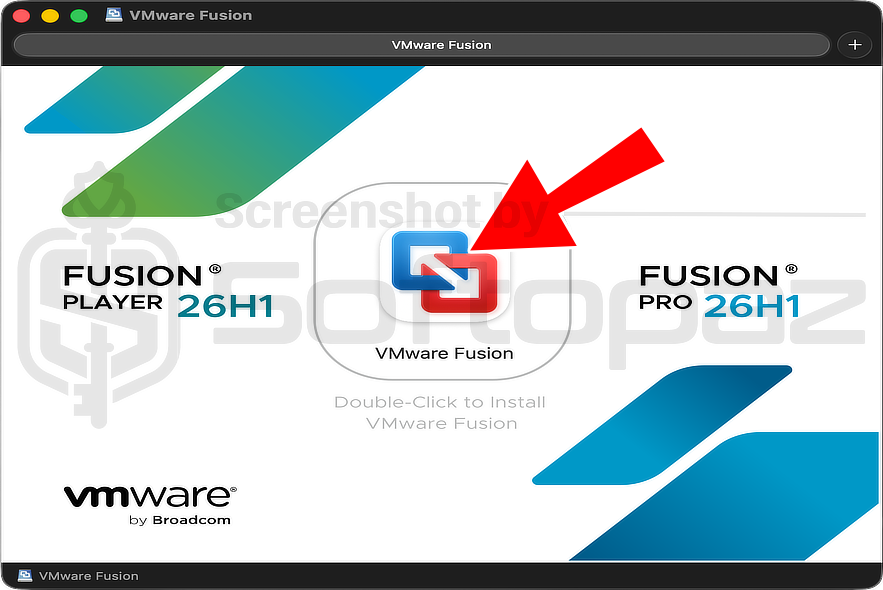
Search “Fusion” and download the latest installer. You need to click on “Terms & Conditions” first, then click the “Agree” tick, and then the download button. Please see the slider image 6.
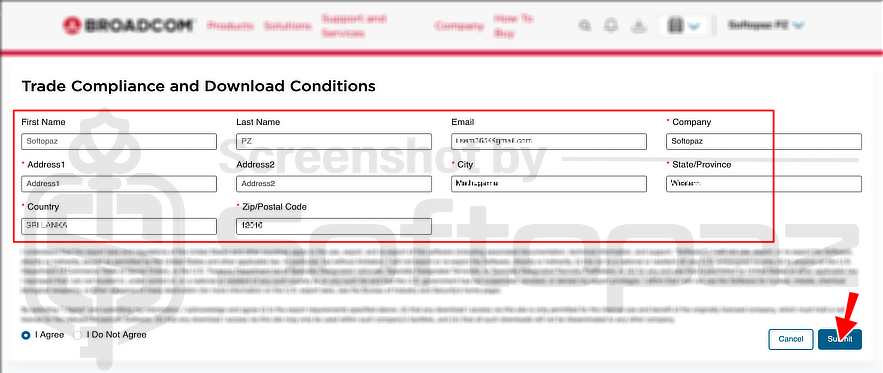
Again, it will show “Trade Compliance and Download Conditions”, and you need to fill that out.
Once it is completed, you can download the latest VMware Fusion installer.
giveaway vs paid
PRO License FAQs
What is VMware Fusion Pro Giveaway (FREE) License?
After Broadcom acquired VMware, VMware Fusion Pro became free for everyone. Starting with Fusion 13.5.2 and continuing with Fusion Pro 26H1, the full Pro edition is available at no cost for personal, educational, and commercial use. No paid licence or product key is required to access all Pro features.
This is the