Vovsoft Batch Image Resizer License Key

The software
Overview
Vovsoft Batch Image Resizer Overview
Official Website: https://vovsoft.com/
Supported Systems: 11, 10, 8/8.1, 7, Vista, XP
Vovsoft Batch Image Resizer helps you to easily resize, convert, and manipulate a large number of images in one go.
It supports all the popular image formats such as JPEG, PNG, BMP, WEBP, GIF, WMP, TIFF, DDS, and more.
Image Resizing Functions
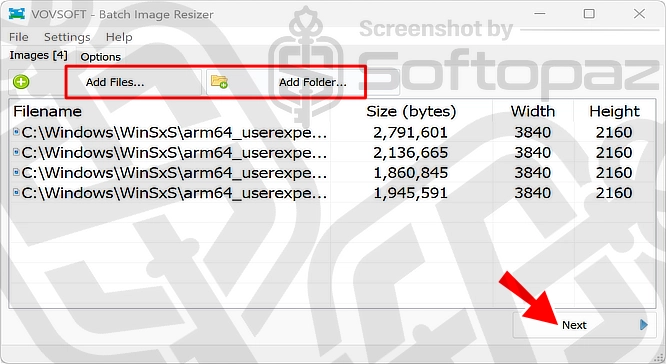
To start processing your images, you need to add all the photos to the tool. You can do this using either by drag-and-drop or by selecting all the images (inside a folder) and clicking on “SendTo – Batch Image Resizer”
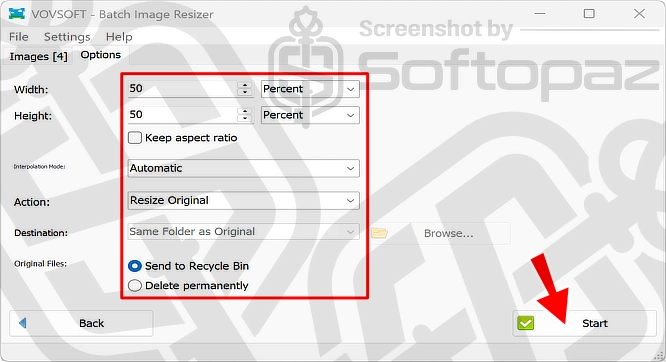
As you can see in the above screenshot, it shows the options once you add the images.
- Batch Resizing: you can add hundreds of images and apply certain resizing actions to all of them at once.
- Resize Methods: users can resize images either by specifying a percentage or by setting exact dimensions in pixels.
- Actions: users can choose what it needs to do to the original files (either replace or preserve) when resizing the images.
- Simple Interface: It boasts a clean and intuitive interface that makes it accessible to users of all skill levels.
Keep aspect ratio: This option is useful to ensure your images maintain their original proportions when resized.
Interpolation Methods
Interpolation methods are algorithms used to maintain the quality of images during the resizing process. As you can see in the screenshot below, there are four methods that you can choose from.
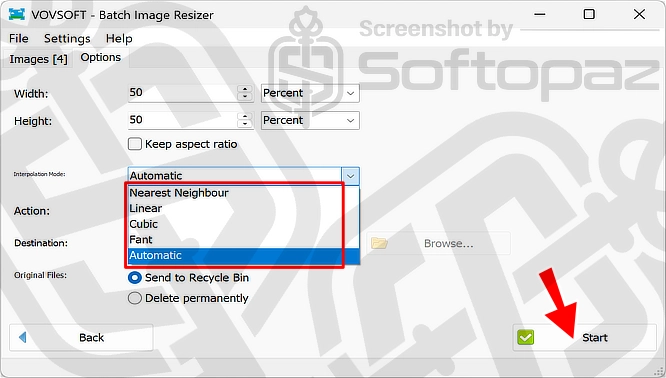
Interpolation Methods: Nearest Neighbor, Linear, Cubic, and Fant. Each offers different balances of quality and processing speed.
SIDENOTE: After you resized all the images, you can rename all of them in bulk using VovSoft Rename Multiple Files
Key Features
- Resize multiple images simultaneously according to defined settings
- Supports all the popular image file formats, including JPEG/PNG/BMP/GIF
- Choose between resizing images by percentage or pixel dimensions
- Provides various interpolation methods to adjust image quality based on your needs
- Maintains transparency in PNG images during the resizing process
- Supports adding images by directly right-clicking on the folder
To get rid of giveaway terms
Buy 30% OFF Now
Buy Genuine Vovsoft Batch Image Resizer License Key with 30% Off Now!
Use our exclusive link to get the lowest price for the paid version from the official website. You will enjoy free automatic updates to new versions and free technical support service from VovSoft.
Vovsoft Batch Image Resizer License Lifetime / 1 PC
✔ Free Updates for Lifetime
✔ Free Technical Support by VovSoft
✔ Covered by VovSoft money-back guarantee

Vovsoft Universal License (The Complete Package) Lifetime / 1 PC
✔ Include 57+ programs
✔ Free Updates for Lifetime
✔ Free Technical Support by VovSoft
✔ Covered by VovSoft money-back guarantee
Steps to
Get Full FREE (Giveaway)
Giveaway License Coverage
| License Type | Lifetime License |
| Supported OS | Windows 11, 10, 8.1/8, 7, Vista, XP |
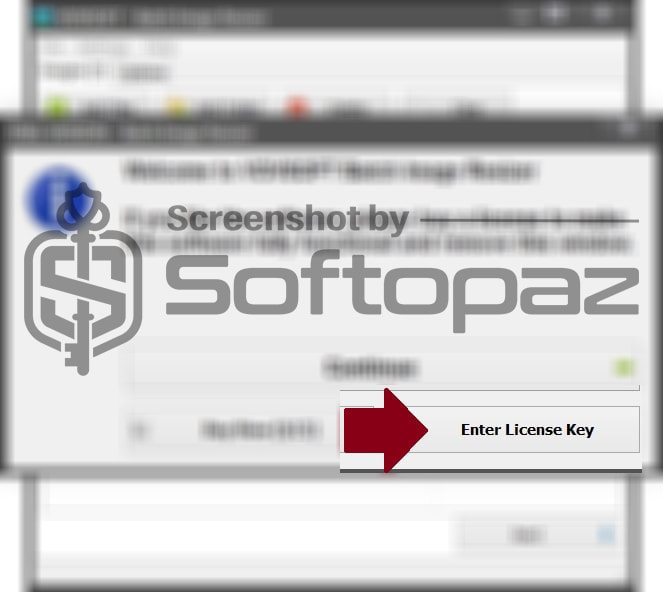
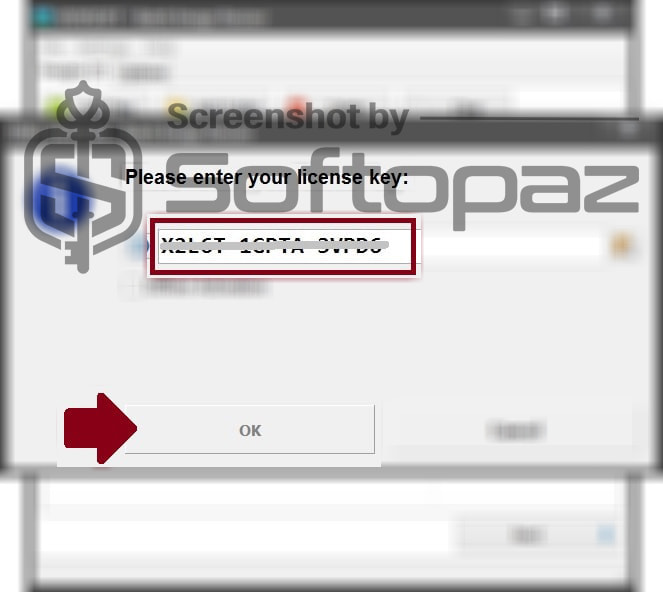
Giveaway License Key & FREE Activation Steps
VUJR2-7WTAG-V9T5UCheck LOWEST Price to get genuine license code with maximum discount today!
giveaway vs paid
Full License FAQs
What is Vovsoft Batch Image Resizer Giveaway License?
The Vovsoft Batch Image Resizer Giveaway license is a promotional-type license provided through authorised Vovsoft partners. It enables users to activate and use full software features for free. Keep in mind that there are some limitations/restrictions in the giveaway full version.
This is the