CBackup Professional License Key

The software
Overview
CBackup Professional Overview
Official Website: www.cbackup.com
Supported Systems: Windows 11, 10, 8.1/8, 7
CBackup Professional helps you to protect, synchronize, and manage your data across local drives and cloud storage with a simple, all-in-one interface.
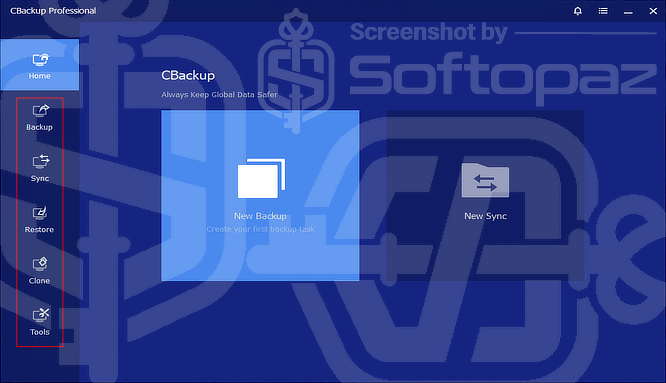
It features a tab-based interface that organises all features; Home, Backup, Sync, Restore, Clone, and Tools – into clearly separated sections for quick and easy navigation.
The Home section of CBackup Pro acts as the central dashboard of CBackup Professional. It provides quick access to the two most common actions:
- New Backup → start creating a backup task
- New Sync → start synchronizing files between locations
01. Backup Section
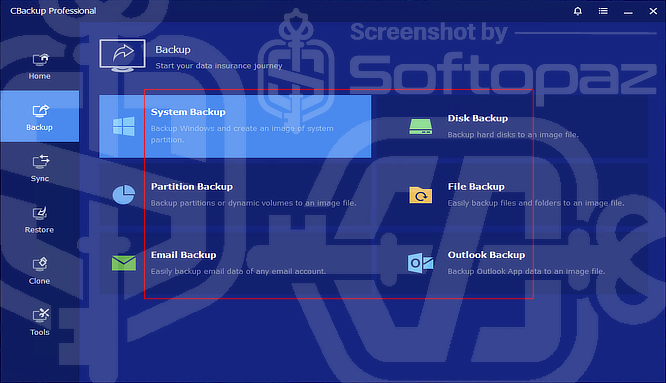
The Backup section is the core of the software, offering multiple ways to protect data:
| Backup Method | Explanation |
|---|---|
| System Backup | creates a full image of the operating system for recovery |
| Disk Backup | backs up an entire hard drive |
| Partition Backup | targets specific partitions or volumes and creates an image file |
| File Backup | backs up selected files and folders |
| Email / Outlook Backup | enables backing up the email data |
In short, this section lets you create flexible backup plans ranging from full system images to simple file protection.
02. Sync Modes
The Sync section offers several modes designed for different file synchronization needs.
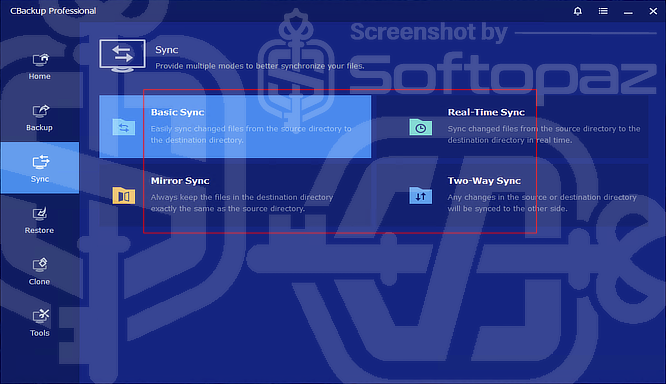
- Basic Sync:
- Performs a one-way update, copying changes from the source to the destination.
- Real-Time Sync:
- Monitors files continuously and updates them instantly whenever changes occur.
- Mirror Sync:
- Ensures the destination is always an exact copy of the source by removing any extra files
- Two-Way Sync:
- Keeps both locations identical by automatically syncing changes in either direction.
This section is especially useful for maintaining up-to-date data across multiple storage locations or cloud accounts.
03. Clone Section
The Clone section focuses on duplicating data or entire systems.
- System Clone – migrate OS to another drive (e.g., SSD upgrade)
- Disk Clone – copy an entire hard drive
- Partition Clone – clone a specific partition
The clone section is ideal for hardware upgrades, backing up entire drives, or transferring systems.
Restoring Backed Up Data
The Restore section allows you to recover backed-up data, whether it’s an entire system, disk, or selected files.
It supports flexible recovery from local storage or cloud backups, helping you quickly return to a previous state after data loss.
Tools Tab
The Tools section provides additional utilities for managing backups and system operations.
It includes features like creating bootable media for recovery, exploring backup images, checking image integrity, viewing logs, managing storage, and configuring notifications.
There are also options for setting up a recovery environment and exporting/importing configurations, making it easier to maintain, troubleshoot, and reuse backup setups across systems.
Key Features
- Easy-to-use tab-based interface for quick navigation
- Supports backup of system, disk, partition, and files
- Cloud-to-cloud backup without downloading files locally
- Multiple sync modes including real-time, mirror, and two-way sync
- Scheduled automatic backups to save time and effort
- Incremental and differential backup to reduce storage usage
- Secure data protection with encryption support
- Clone system, disk, or partition for easy migration
- Restore data quickly from local or cloud backups
- Create bootable media for emergency recovery
- Manage and monitor backup tasks with logs and notifications
- Flexible storage options including local drives and cloud services
To get rid of giveaway terms
Buy 70% OFF Now
Buy Genuine CBackup Pro License Code with 70% OFF Now!
Try our exclusive link to the official order page to buy a genuine CBackup Pro license code. Enjoy free automatic upgrades to new versions and free technical support from CBackup’s representative via email.
CBackup License Professional / Technician / Cloud
✔ Free upgrade to new versions
✔ Free 24×7 Technical Support by CBackup.com
✔ Covered by money-back guarantee
Steps to
Get PRO FREE (Giveaway)
Giveaway License Coverage
| License Type | 06 Months License |
| Supported OS | Windows 11, 10, 8.1/8, 7 Windows Servers |
Giveaway Serials & FREE License Activation Steps
CBPC-RID9B-R4YM7-ESRTUCBPC-MU1LL-TPCX0-9JIYRCBPC-LFZC7-YSY9W-RILVUCBPC-TUNMQ-TNN16-DOPYPCheck LOWEST Price to get genuine license code with maximum discount today!
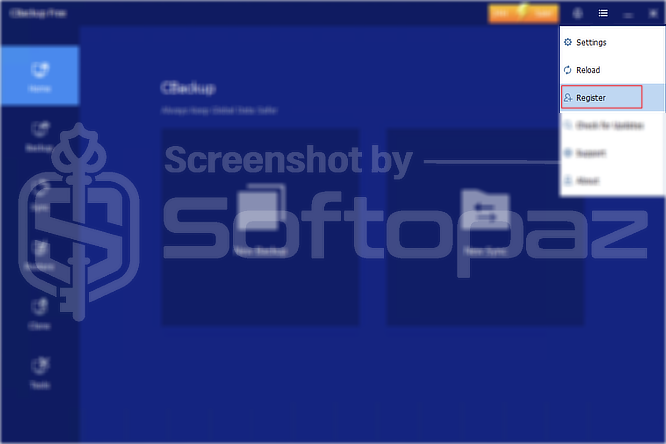
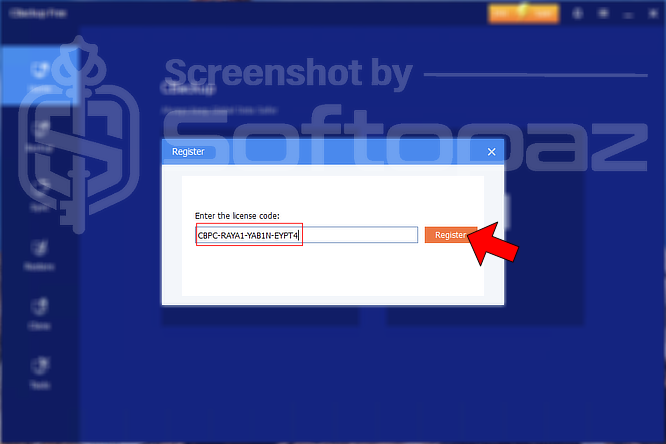
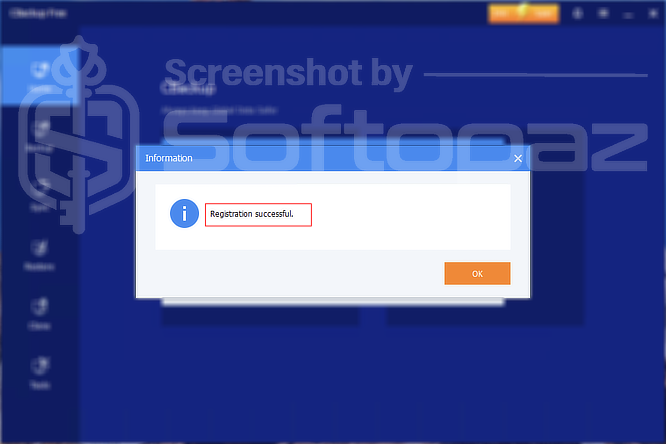
giveaway vs paid
PRO License FAQs
What is CBackup Professional Giveaway License?
What is CBackup Professional giveaway license is a special type of promptional license that is provided by official partners (like us). This license allows users to activate all pro features for free. However, the Pro giveaway license may have some limitations/restrictions.
This is the