pCloud Cloud Storage License Key

The software
Overview
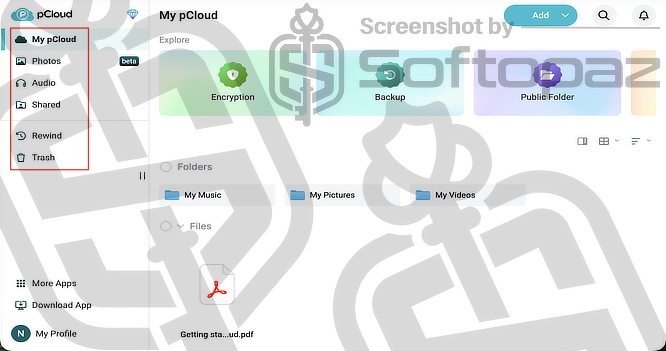
pCloud Cloud Storage Overview
Official Website: www.pcloud.com
Supported Systems: Windows, Mac, iOS, Android, Web Browsers
pCloud helps you securely store your files in the cloud, automatically sync them across devices, and share them effortlessly.
These can be photos, videos, audio, documents, and many more.
You can access the stored data anytime from any device and manage everything easily with full control.
Basically, with pCloud, you can;
- Stores files (photos, videos, documents) in the cloud
- Syncs files across devices (phone, PC, web)
- Share files with links or folders with other people
- Works on Windows, macOS, Linux, Android, and iOS
pCloud also provides strong encryption to keep your files protected at all times.
Based in Switzerland, pCloud follows strict privacy laws and ensures no tracking or third-party access to your data.
Let’s look at its features briefly.
Secure Cloud Storage for Your Files
pCloud provides a safe place to store your videos, photos, documents, and other files online.
Your data is protected using secure transfer methods like TLS/SSL encryption, and files are stored across multiple secure server locations to reduce risk.
For extra privacy, you can enable client-side encryption, where only you have access to your sensitive files.
Dedicated Apps for All Devices
pCloud offers apps for Windows, Mac, iOS, Android, and web browsers. So you can access your files from anywhere.
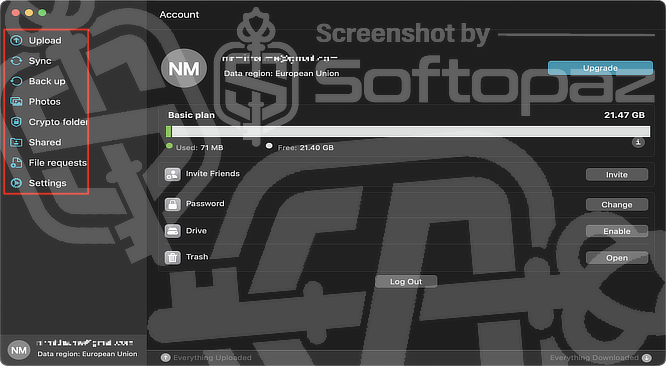
The desktop app creates a virtual drive on your computer, letting you use cloud storage just like a local folder without taking up space on your device.
Access and Stream Your Media Anytime
With built-in media features, pCloud lets you play videos, listen to music, and view photos directly from your storage without downloading them.
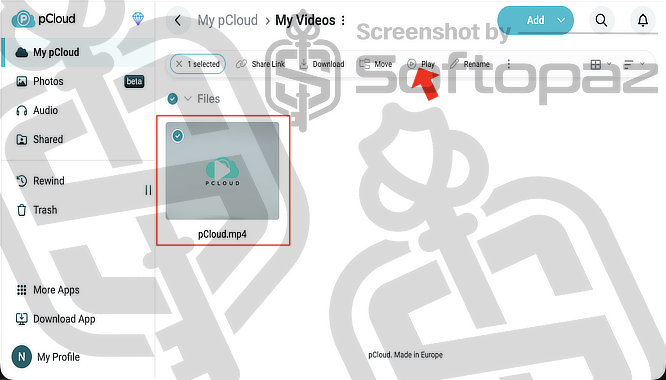
- Video Player: lets you stream your videos instantly without downloading them. It supports many formats and saves your playback position so you can continue watching anytime.
- Audio Player: allows you to play music, podcasts, and recordings directly from the cloud. It also saves your progress so you can resume listening from where you stopped.
- Photo Previewer: lets you view your images without downloading them. Your photos are arranged in a simple timeline, making them easy to find and browse.
This makes it easy to manage and enjoy your media files anytime, from any device connected to the internet.
Automatic Cloud Backup for PC & Mac
pCloud allows you to automatically back up important files and folders from your computer.
Once set up, it continuously saves your data to the cloud without manual effort, helping protect your files in case of device loss or failure.
Share Files and Folders Effortlessly
You can easily share files with others using links, shared folders, or file requests.
pCloud allows you to send large files, even to people who don’t have an account, making collaboration simple and flexible.
pCloud Branded Links (Personalised Sharing)
pCloud lets you customise your shared links with your own branding, such as logos and styles.
This is especially useful for businesses, as it creates a more professional and consistent look when sharing files with clients or teams.
With its user-friendly design and flexible storage options, pCloud works well for both individuals and businesses, providing a dependable way to store, share, sync, and back up files.
Key Features
- Stores your files safely using strong encryption and secure servers
- Keeps your files updated across all your devices automatically
- Backs up your important files from your computer to prevent data loss
- Let’s you share files and folders easily using links or shared access
- Allows you to play videos, music, and view photos directly from the cloud
- Works on Windows, Mac, Android, iOS, and web browsers
- Saves previous versions of files so you can restore them if needed
- Creates a virtual drive so you can access files without using local storage space
- Let’s you access selected files even without an internet connection
- Allows you to customise shared links with your own branding
To get rid of giveaway terms
Buy 85% OFF Now
BUY Genuine pCloud Premium & Lifetime license plans with up to 85% Sale
Use our exclusive link to get the lowest price from the pCloud official ordering page when purchasing the subscription. You can get priority support from the pCloud team.
pCloud Premium & Lifetime Individual Plan Monthly / Annual / Lifetime
✔ Choose from 500GB, 2TB, or 10TB
✔ Priority Technical Support by pCloud.com
✔ Covered by pCloud Money Back-guarantee
pCloud Premium & Lifetime Family Plan Lifetime
✔ Choose from 2TB, 5TB, or 10TB
✔ Priority Technical Support by pCloud.com
✔ Covered by pCloud Money Back-guarantee
Steps to
Get Full FREE (Giveaway)
Giveaway License Coverage
| License Type | Lifetime Free Storage |
| Supported OS | Windows, Mac, Linux, iOS, Android, Web Browsers |
pCloud 20GB Free Storage Giveaway Activation Steps
This is a limited-time offer; be sure to claim it before it ends.
Make sure you’re logged out of any existing session. Otherwise, you won’t be able to claim the offer and may see “You’re already registered. Continue exploring”.
Check LOWEST Price to get genuine license code with maximum discount today!


giveaway vs paid
Full License FAQs
What is the pCloud 20GB Free Storage Giveaway Promotion?
The pCloud 20GB Free Storage Giveaway Promotion is a limited-time marketing campaign where new users can get 20GB of cloud storage for free when they sign up through a special promotional page.
This is the