Donemax Recorder License Key


The software
Overview
Donemax Recorder (Windows) Overview
Official Website: www.donemax.com
Supported Systems: Windows 11, 10
Donemax Recorder lets you create professional-looking screen recordings with smart auto-zoom and polished visual effects, without the hassle of complex editing.

As shown in the screenshot above, it comes with three screen recording modes (Display, Custom, and Window), along with separate controls for webcam, microphone, and system audio recording.
More importantly, Donemax Recorder‘s AI-powered auto-zoom feature automatically highlights important on-screen actions, while built-in editing tools let users customize the appearance and layout of their recordings.
Screen Recording with Flexible Capture Options
Here is what you see when you’re about to start recording.
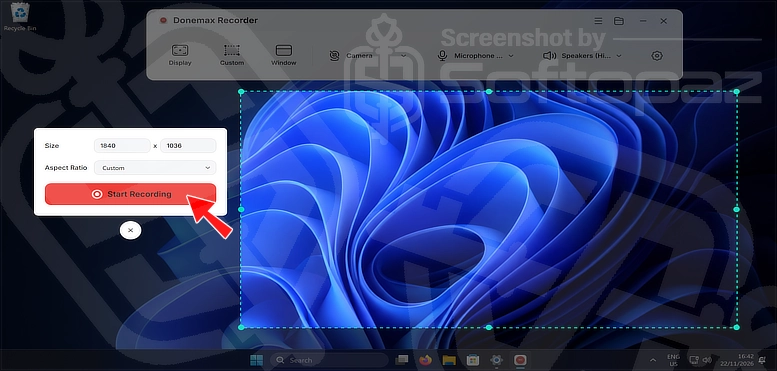
Donemax Recorder offers three screen capture modes:
- Display: Capture the entire screen, including all visible activities and applications
- Custom: Select a specific area of the screen to record, adjusting the capture dimensions
- Window: Record a specific application window without capturing the entire desktop
You can also configure your recording sources directly from the toolbar:
- Camera: Enable or disable webcam recording and select the camera device
- Microphone: Choose your preferred microphone input for recording voiceovers or commentary
- Speakers: Select the system audio output to capture sounds played on your PC
AI-Powered Automatic Zoom
One of the highlighted features of Donemax Recorder is its automatic zoom feature.
It detects clicks and other on-screen actions during recording and automatically magnifies the relevant areas to make important details easier to follow.
The zoom effects are added as separate clips on a dedicated timeline track, allowing users to edit and adjust them independently.
Built-in Video Editing and Customization
After finishing the recording, it will automatically open the built-in editing workspace.
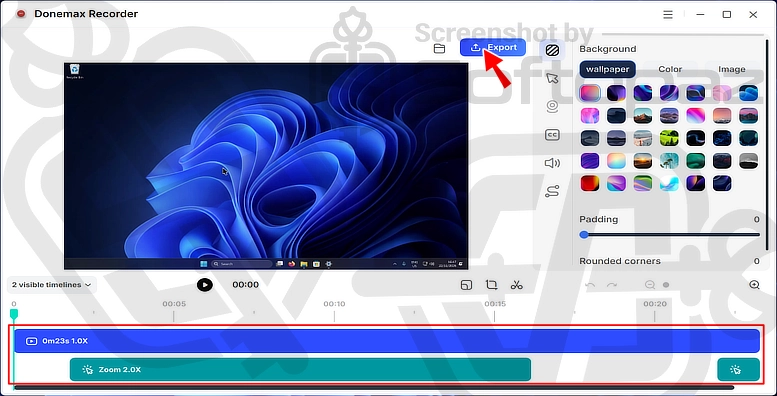
As shown above, automatically generated zoom effects appear as separate clips on a dedicated timeline track.
So you can edit and adjust them independently.
The editor also offers tools for customizing backgrounds and cursors, generating AI subtitles, muting individual audio tracks, and adding animations.
Export & Final Adjustments
Once editing is complete, preview your video and export it in MP4 format at up to 4K resolution and 60 FPS.
Key Features
- Flexible Screen Recording: Capture the entire display, a custom screen area, or a specific application window
- AI-Powered Auto-Zoom: Automatically detect on-screen actions and magnify important areas
- Webcam Recording: Record webcam footage alongside screen activity
- Microphone & System Audio Recording: Capture voice input and PC audio
- Customizable Cursor Effects: Adjust cursor styles, sizes, and movement animations
- Built-in Video Editor: Edit recordings using a timeline-based editing workspace
- Editable Zoom Effects: Adjust automatically generated zoom effects as separate timeline clips
- Custom Backgrounds: Add wallpapers, background images, or solid colours
- AI Subtitle Generation: Automatically generate subtitles for recordings
- Audio Track Control: Mute system audio or microphone tracks individually
- Professional Animations: Apply animations to make recordings more engaging
- Multiple Aspect Ratios: Create videos in 16:9, 9:16, 1:1, 4:3, and 3:4 formats
- 4K Video Export: Export recordings in MP4 format at up to 4K resolution and 60 FPS
Steps to
Get Full FREE (Giveaway)
Giveaway License Coverage
| License Type | Lifetime License |
| Giveaway Ends | Nov-30, 2026 |
| Supported OS | Windows 11, 10, 8/8.1, 7, Vista, XP |
Donemax Recorder Giveaway License Key & FREE Activation Steps
https://www.donemax.com/freetrial/DonemaxRecorder.exeTVU7Z-LWZKL-ZVRFT-TLEL4-RTNIZCheck LOWEST Price to get genuine license code with maximum discount today!
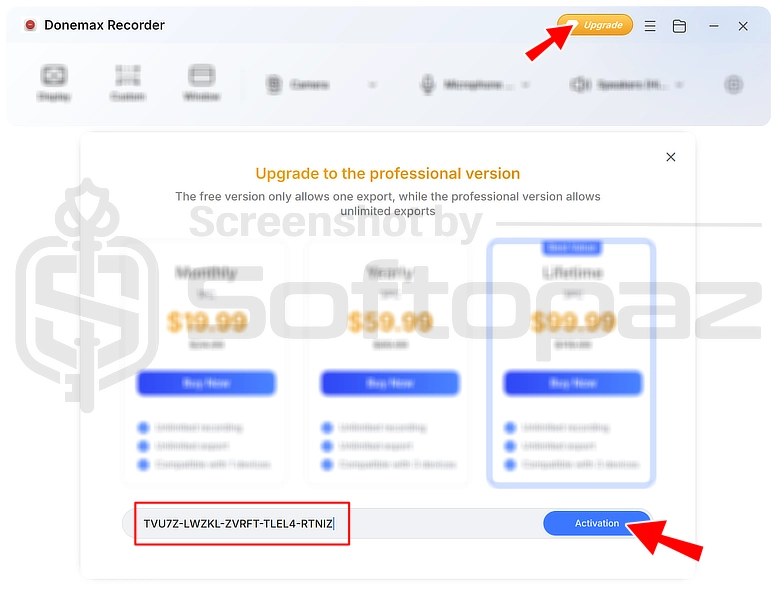
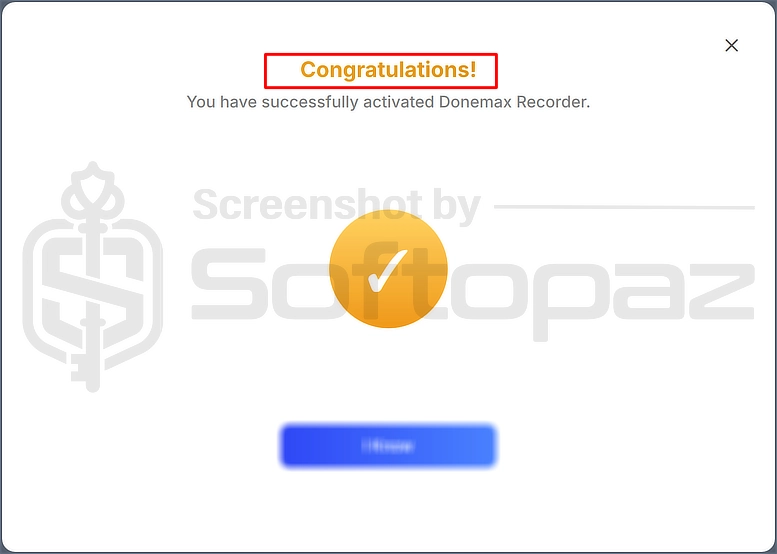
giveaway vs paid
Full License FAQs
What is Donemax Recorder Giveaway License?
Donemax Recorder Giveaway License is a promotional license that lets users legally activate all PRO features for free. However, giveaway licenses may come with certain limitations or restrictions compared to a regular paid license.
This is the